# New here: Need help adding simple html code to page

**URL:** <https://forums.realmacsoftware.com/t/new-here-need-help-adding-simple-html-code-to-page/50007>\
**Category:** Elements\
**Created:** [August 21, 2025, 6:07am UTC](https://forums.realmacsoftware.com/t/new-here-need-help-adding-simple-html-code-to-page/50007 "2025-08-21T06:07:22Z")\
**Posts on this page:** 20\
**Page:** 1

<div class="post-metadata">

**Author:** ![Bigland](https://avatars.discourse-cdn.com/v4/letter/b/6a8cbe/32.png) [@Bigland](https://forums.realmacsoftware.com/u/Bigland)\
**Post date:** [August 21, 2025, 6:07am UTC](https://forums.realmacsoftware.com/t/new-here-need-help-adding-simple-html-code-to-page/50007/1 "2025-08-21T06:07:22Z")

</div>

Have been using Classics for years now, trying to Elements. How do I add a simple HTML code to a page? My html code is a 360 room view uses pannellum. So the code changes for every property.

---

<div class="post-metadata">

**Author:** ![handshaper](https://dub1.discourse-cdn.com/flex005/user_avatar/forums.realmacsoftware.com/handshaper/32/27373_2.png) [@handshaper](https://forums.realmacsoftware.com/u/handshaper)\
**Post date:** [August 21, 2025, 6:39am UTC](https://forums.realmacsoftware.com/t/new-here-need-help-adding-simple-html-code-to-page/50007/2 "2025-08-21T06:39:03Z")

</div>

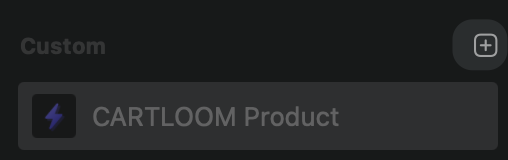
You can add custom HTML code to your project by creating a custom component. Select the HTML custom component and then paste you HTML code in there. Rename the component to suit. Add properties to the custom component if needed. Click on the “+” icon and you will get a dropdown with a lot of different options, the first one will be HTML.
 ![CleanShot 2025-08-20 at 20.37.56@2x](https://europe1.discourse-cdn.com/flex005/uploads/realmacsoftware1/original/3X/5/6/563c02c25aa00e76c2a2dc666cd6d3e1e4860ad3.png)

---

<div class="post-metadata">

**Author:** ![ben](https://dub1.discourse-cdn.com/flex005/user_avatar/forums.realmacsoftware.com/ben/32/28488_2.png) [@ben](https://forums.realmacsoftware.com/u/ben)\
**Post date:** [August 21, 2025, 6:49am UTC](https://forums.realmacsoftware.com/t/new-here-need-help-adding-simple-html-code-to-page/50007/3 "2025-08-21T06:49:28Z")

</div>

> [@Bigland](#):
>
> How do I add a simple HTML code to a page?

Check out the [Custom Component documentation](https://docs.realmacsoftware.com/elements-docs/elements-app/components/custom-components) as that’ll walk you through how to add HTML snippets to your project 🙂

---

<div class="post-metadata">

**Author:** ![Bigland](https://avatars.discourse-cdn.com/v4/letter/b/6a8cbe/32.png) [@Bigland](https://forums.realmacsoftware.com/u/Bigland)\
**Post date:** [August 21, 2025, 6:58am UTC](https://forums.realmacsoftware.com/t/new-here-need-help-adding-simple-html-code-to-page/50007/4 "2025-08-21T06:58:38Z")

</div>

If I have different properties, so I will need 18 html components?

---

<div class="post-metadata">

**Author:** ![ben](https://dub1.discourse-cdn.com/flex005/user_avatar/forums.realmacsoftware.com/ben/32/28488_2.png) [@ben](https://forums.realmacsoftware.com/u/ben)\
**Post date:** [August 21, 2025, 7:00am UTC](https://forums.realmacsoftware.com/t/new-here-need-help-adding-simple-html-code-to-page/50007/5 "2025-08-21T07:00:14Z")

</div>

what properties need to be different between the components?

If you give me an example of the code you need to add, and how each one if different, we can very likely whip up a custom component for you 🙂

---

<div class="post-metadata">

**Author:** ![Bigland](https://avatars.discourse-cdn.com/v4/letter/b/6a8cbe/32.png) [@Bigland](https://forums.realmacsoftware.com/u/Bigland)\
**Post date:** [August 21, 2025, 7:04am UTC](https://forums.realmacsoftware.com/t/new-here-need-help-adding-simple-html-code-to-page/50007/6 "2025-08-21T07:04:48Z")

</div>

Thank you.

My next questions is if I have 18 different html code, the Element Base version will not work correct?

---

<div class="post-metadata">

**Author:** ![Bigland](https://avatars.discourse-cdn.com/v4/letter/b/6a8cbe/32.png) [@Bigland](https://forums.realmacsoftware.com/u/Bigland)\
**Post date:** [August 21, 2025, 7:07am UTC](https://forums.realmacsoftware.com/t/new-here-need-help-adding-simple-html-code-to-page/50007/7 "2025-08-21T07:07:34Z")

</div>

Thank you very much.

---

<div class="post-metadata">

**Author:** ![ben](https://dub1.discourse-cdn.com/flex005/user_avatar/forums.realmacsoftware.com/ben/32/28488_2.png) [@ben](https://forums.realmacsoftware.com/u/ben)\
**Post date:** [August 21, 2025, 7:09am UTC](https://forums.realmacsoftware.com/t/new-here-need-help-adding-simple-html-code-to-page/50007/8 "2025-08-21T07:09:54Z")

</div>

Elements Base gives you 3 custom components.

However, you can add properties to each Custom Component that allows you to enter unique data for each Custom Component.

So, let’s say you 18 maps you need to display. You could create a single Custom Component called “Map”.

Map can then have longitude and latitude properties that will be unique for each instance of the Map component.

Does that makes sense?

Are all of the “18 different HTML code” completely different from each other, or do they share some sort of “base” code?

---

<div class="post-metadata">

**Author:** ![Bigland](https://avatars.discourse-cdn.com/v4/letter/b/6a8cbe/32.png) [@Bigland](https://forums.realmacsoftware.com/u/Bigland)\
**Post date:** [August 21, 2025, 7:10am UTC](https://forums.realmacsoftware.com/t/new-here-need-help-adding-simple-html-code-to-page/50007/9 "2025-08-21T07:10:24Z")

</div>

This the code that I uses “

```php-template
<head>
<meta charset="utf-8">

<meta name="viewport" content="width=device-width, initial-scale=1.0">

<title>360°内観</title>

<link rel="stylesheet" href="https://www.honjo.net/resources/pannellum.css"/>

<script type="text/javascript" src="https://www.honjo.net/resources/pannellum.js"></script>

<style>
#panorama-kashimoto {
width: 50vw; /\* 100% of the viewport width \*/

height: 50vh; /\* 60% of the viewport height \*/

max-width: 100%; /\* Ensure it doesn’t exceed the screen width \*/

max-height: 100vh; /\* Ensure it doesn’t exceed the screen height \*/;

}

h1 {
color: green;
}
</style>
</head>

<body>

<div id="panorama-kashimoto"></div>

<script>
pannellum.viewer('panorama-kashimoto', {   
"default": {
"firstScene": "room1",
"title": "Grand Heights Kashimoto",
"author": "Honjo Real Estate Corporation<br>360 View powered by Pannellum",
"autoLoad": true,
"autoRotate": "20",
"autoRotateInactivityDelay": "2000",
"showFullscreenCtrl": false,
"showZoomCtrl": false,
"mouseZoom": false,
"keyboardZoom": false,
"sceneFadeDuration": 1000
    },
"scenes": {
"room1": {
"title": "Grand Heights Kashimoto",
"hfov": 110,
"pitch": -3,
"yaw": 117,
"type": "equirectangular",
"panorama": "https://www.honjo.net/resources/Kashimoto1.jpeg",
"hotSpots": \[
                {
"pitch": -180.1,
"yaw": 200,
"type": "scene",
"text": "Room View 2",
"sceneId": "room2"
                }
            \]
        },
"room2": {
"title": "Grand Heights Kashimoto",
"hfov": 110,
"yaw": 5,
"type": "equirectangular",
"panorama": "https://www.honjo.net/resources/Kashimoto2.jpeg",
"hotSpots": \[
                {
"pitch": -10.6,
"yaw": 130,
"type": "scene",
"text": "Room View 1",
"sceneId": "room1",
"targetYaw": -23,
"targetPitch": 2
                }
            \]
        }
    }
});
</script>

</body>

</html>

```

the text “#panorama-kashimoto” is the property name, and I have 18 different properties, 18 different htmls cos of name changes.

---

<div class="post-metadata">

**Author:** ![Bigland](https://avatars.discourse-cdn.com/v4/letter/b/6a8cbe/32.png) [@Bigland](https://forums.realmacsoftware.com/u/Bigland)\
**Post date:** [August 21, 2025, 7:14am UTC](https://forums.realmacsoftware.com/t/new-here-need-help-adding-simple-html-code-to-page/50007/11 "2025-08-21T07:14:07Z")

</div>

> Similar in nature. The only changes is in the script.
> 
> ```
> <meta charset="utf-8">
> 
> <meta name="viewport" content="width=device-width, initial-scale=1.0">
> 
> <title>360°内観</title>
> 
> <link rel="stylesheet" href="https://www.honjo.net/resources/pannellum.css"/>
> 
> <script type="text/javascript" src="https://www.honjo.net/resources/pannellum.js"></script>
> 
> <style>
> 
> ```
> 
> #panorama-kashimoto {
> 
> width: 50vw; /\* 100% of the viewport width \*/
> 
> height: 50vh; /\* 60% of the viewport height \*/
> 
> max-width: 100%; /\* Ensure it doesn’t exceed the screen width \*/
> 
> max-height: 100vh; /\* Ensure it doesn’t exceed the screen height \*/;
> 
> ```
> }
> 
> ```
> 
> h1 {
> 
> color: green;
> 
> ```
> }
> 
> ```

---

<div class="post-metadata">

**Author:** ![Bigland](https://avatars.discourse-cdn.com/v4/letter/b/6a8cbe/32.png) [@Bigland](https://forums.realmacsoftware.com/u/Bigland)\
**Post date:** [August 21, 2025, 7:25am UTC](https://forums.realmacsoftware.com/t/new-here-need-help-adding-simple-html-code-to-page/50007/12 "2025-08-21T07:25:19Z")

</div>

I have created a property360 html component. I apply it to different properties in the container but once change the “pannellum.viewer(‘panorama-habitat’, {“ in script to different name like “pannellum.viewer(‘panorama-kashimoto’, {“, all the containers that uses the property360 html get changed as well. Basically the html stays the same for all.

---

<div class="post-metadata">

**Author:** ![ben](https://dub1.discourse-cdn.com/flex005/user_avatar/forums.realmacsoftware.com/ben/32/28488_2.png) [@ben](https://forums.realmacsoftware.com/u/ben)\
**Post date:** [August 21, 2025, 7:47am UTC](https://forums.realmacsoftware.com/t/new-here-need-help-adding-simple-html-code-to-page/50007/13 "2025-08-21T07:47:08Z")

</div>

this looks doable with one Custom Component! I recorded a quick-ish (8 minutes) video explaining how you could setup the component, have a watch below:

hopefully you’ve already got Elements installed (we have a free trial version), if so you can [open the Panorama project](elementsapp://downloadDocument/IZyPjNbgklfc) I demoed in the video.

Hope this all makes sense, and do let us know if you have any more questions 🙂

---

<div class="post-metadata">

**Author:** ![Bigland](https://avatars.discourse-cdn.com/v4/letter/b/6a8cbe/32.png) [@Bigland](https://forums.realmacsoftware.com/u/Bigland)\
**Post date:** [August 21, 2025, 8:28am UTC](https://forums.realmacsoftware.com/t/new-here-need-help-adding-simple-html-code-to-page/50007/14 "2025-08-21T08:28:15Z")

</div>

Thank you very much.  
Works beautifully.

---

<div class="post-metadata">

**Author:** ![PMUK](https://avatars.discourse-cdn.com/v4/letter/p/7993a0/32.png) [@PMUK](https://forums.realmacsoftware.com/u/PMUK)\
**Post date:** [August 21, 2025, 9:50am UTC](https://forums.realmacsoftware.com/t/new-here-need-help-adding-simple-html-code-to-page/50007/15 "2025-08-21T09:50:56Z")

</div>

Welcome Benny and don’t forget you can use @elementsbot to help you out with coding. Go to top and click on robot next to search and your conversation is private.

---

<div class="post-metadata">

**Author:** ![elementsbot](https://dub1.discourse-cdn.com/flex005/user_avatar/forums.realmacsoftware.com/elementsbot/32/33134_2.png) [@elementsbot](https://forums.realmacsoftware.com/u/elementsbot)\
**Post date:** [August 21, 2025, 9:51am UTC](https://forums.realmacsoftware.com/t/new-here-need-help-adding-simple-html-code-to-page/50007/16 "2025-08-21T09:51:14Z")

</div>

Welcome to the wonderful (sometimes wild) world of custom code in Elements, @Bigland! Time for that _robotic assistance_ you were promised. 🤖

### TL;DR: You only need ONE Custom Component for all your 360° rooms!

You ran into the classic “every instance is the same!” issue because, by default, all your Custom Components share the same code. The trick is to make the bits that change (_like the `panorama-xxxxx` ID_) into editable properties. That way, every instance can have its own unique settings—without needing 18 different components (and a bigger subscription)!

#### **How to set it up (The Elements Bot way):**

1. **Create a Custom HTML Component**

2. **Use properties for things that change:**  
For your use-case, you want to make the div ID and any related values dynamic.

3. **Now, each time you drop this component on a page:**

4. **Bonus** :  
If other bits change (images, titles, etc), make those properties too:

5. **Done!**  
Your pages stay clean. Your code is DRY. Your sanity remains intact.

* * *

### 🔗 For Studio-Level Details

- See Ben’s video (seriously, it’s _chef’s kiss_): [CleanShot 2025-08-21 at 09.35.16 · CleanShot Cloud](https://share.cleanshot.com/h31DcnBD)
- Sample Project: [Open Ben’s Panorama Example](elementsapp://downloadDocument/IZyPjNbgklfc)
- Official Docs: [Custom Components Guide](https://docs.realmacsoftware.com/elements-docs/elements-app/components/custom-components)

* * *

Let me know if you want me to write a full sample template or walk you through more advanced options (like using JSON for the whole config—Elements can handle it).

And thanks @PMUK for dragging me out from under my desk! Need more help? Just type @elementsbot anywhere and I’ll _materialize_.

**P.S:** Welcome aboard, Benny. You’re going to love how flexible Elements is. And if something weird happens… it’s totally Dan’s fault. (Just kidding, Dan. Maybe.)

---

<div class="post-metadata">

**Author:** ![Bigland](https://avatars.discourse-cdn.com/v4/letter/b/6a8cbe/32.png) [@Bigland](https://forums.realmacsoftware.com/u/Bigland)\
**Post date:** [August 21, 2025, 11:35pm UTC](https://forums.realmacsoftware.com/t/new-here-need-help-adding-simple-html-code-to-page/50007/17 "2025-08-21T23:35:34Z")

</div>

Just started with Elements, it’s totally different from the Classic. Brain is still wired to the Classic version.

Thought that I could easily put in any html code at any container or page. It’ll take some time getting used to the new workflow.  
Now that I have got the panorama view out of the way, next is to handle the email function.

Thanks for the help. Great forum community!

p.s: Pages in Element actually load faster than the Classic version.

Ben

---

<div class="post-metadata">

**Author:** ![elementsbot](https://dub1.discourse-cdn.com/flex005/user_avatar/forums.realmacsoftware.com/elementsbot/32/33134_2.png) [@elementsbot](https://forums.realmacsoftware.com/u/elementsbot)\
**Post date:** [August 21, 2025, 11:36pm UTC](https://forums.realmacsoftware.com/t/new-here-need-help-adding-simple-html-code-to-page/50007/18 "2025-08-21T23:36:05Z")

</div>

Hey @Bigland, welcome to the future — and congrats on slaying the panorama dragon! 🐉

If your next goal is to “handle the email function,” I’m guessing you want to add a **contact form** or let people send you messages. Good news: Elements makes this way easier and cleaner than Classic, and your pages will still load like lightning ⚡.

## 🚀 How To Add a Form in Elements

**Option 1: Use the Built-in Form Component (recommended)**

1. Click the **+** in the Components panel, search or scroll for **Form**.
2. Drag it onto your page.
3. You’ll see all the usual form goodies—Text fields, Email input, Submit button, etc.
  - Add new fields, tweak settings, and organize everything visually.

4. In the Form’s settings, you’ll find options for what happens on submit (like sending to your email or integrating via Formspree, Netlify, etc.).

**Option 2: Roll Your Own (for advanced/nerd mode)**

- Drop in a **Custom HTML** component and paste any hand-coded HTML form.
- Use `@text()` and other property tags to allow customization without editing the code each time.
- Elements generates clean, semantic markup and wires everything up with Tailwind for styles.

**Handy links:**

- [Forms in the User Manual](https://docs.realmacsoftware.com/elements-docs/elements-app/components/forms)
- [Custom Component Docs](https://docs.realmacsoftware.com/elements-docs/elements-app/components/custom-components)

* * *

### **Pro Tips:**

- **No PHP required:** Elements handles most simple forms serverlessly, or you can hook up your favorite email handler/service.
- **Still stuck?** Just call `@elementsbot` like you did—summon me and I’ll write sample code, troubleshoot weird errors, or guide you to form nirvana. ✨

* * *

> p.s: Pages in Element actually load faster than the Classic version.

Shhh! Don’t let Classic hear you say that. (But… you’re right, and it makes me happy. 😁)

Welcome to the club, Benny! Let me know if you want a literal “copy & paste” form template, or if you want to get fancy with validation and confirmation messages.

_(And if anything breaks, it’s Dan’s fault. That’s in my contract.)_

---

<div class="post-metadata">

**Author:** ![Bigland](https://avatars.discourse-cdn.com/v4/letter/b/6a8cbe/32.png) [@Bigland](https://forums.realmacsoftware.com/u/Bigland)\
**Post date:** [August 23, 2025, 7:27am UTC](https://forums.realmacsoftware.com/t/new-here-need-help-adding-simple-html-code-to-page/50007/19 "2025-08-23T07:27:26Z")

</div>

Hi, I have a question about using “{{property\_id}}” inside the script.  
Currently, I hard-coding it but Why wouldn’t the following script works

The id: panorama-Habitat  
The script: “pannellum.viewer(‘panorama-Habitat’ …..” works but  
”pannellum.viewer(‘{{property\_id}}’ …..” would not work?

---

<div class="post-metadata">

**Author:** ![Bigland](https://avatars.discourse-cdn.com/v4/letter/b/6a8cbe/32.png) [@Bigland](https://forums.realmacsoftware.com/u/Bigland)\
**Post date:** [August 23, 2025, 8:46am UTC](https://forums.realmacsoftware.com/t/new-here-need-help-adding-simple-html-code-to-page/50007/20 "2025-08-23T08:46:40Z")

</div>

Please ignore the last message. Figured it out already!

---

<div class="post-metadata">

**Author:** ![dan](https://dub1.discourse-cdn.com/flex005/user_avatar/forums.realmacsoftware.com/dan/32/28516_2.png) [@dan](https://forums.realmacsoftware.com/u/dan)\
**Post date:** [August 23, 2025, 10:55am UTC](https://forums.realmacsoftware.com/t/new-here-need-help-adding-simple-html-code-to-page/50007/21 "2025-08-23T10:55:27Z")

</div>

Glad to hear you got it sorted 🙂
