I am wondering if there is a way to reduce the padding around the track names in the track list in the audio component? I’ve attached a screenshot. I really would like the track entries to not take up so much vertical space. Thank you!

Not with the built-in controls, however you could add this little bit of CSS to control it…
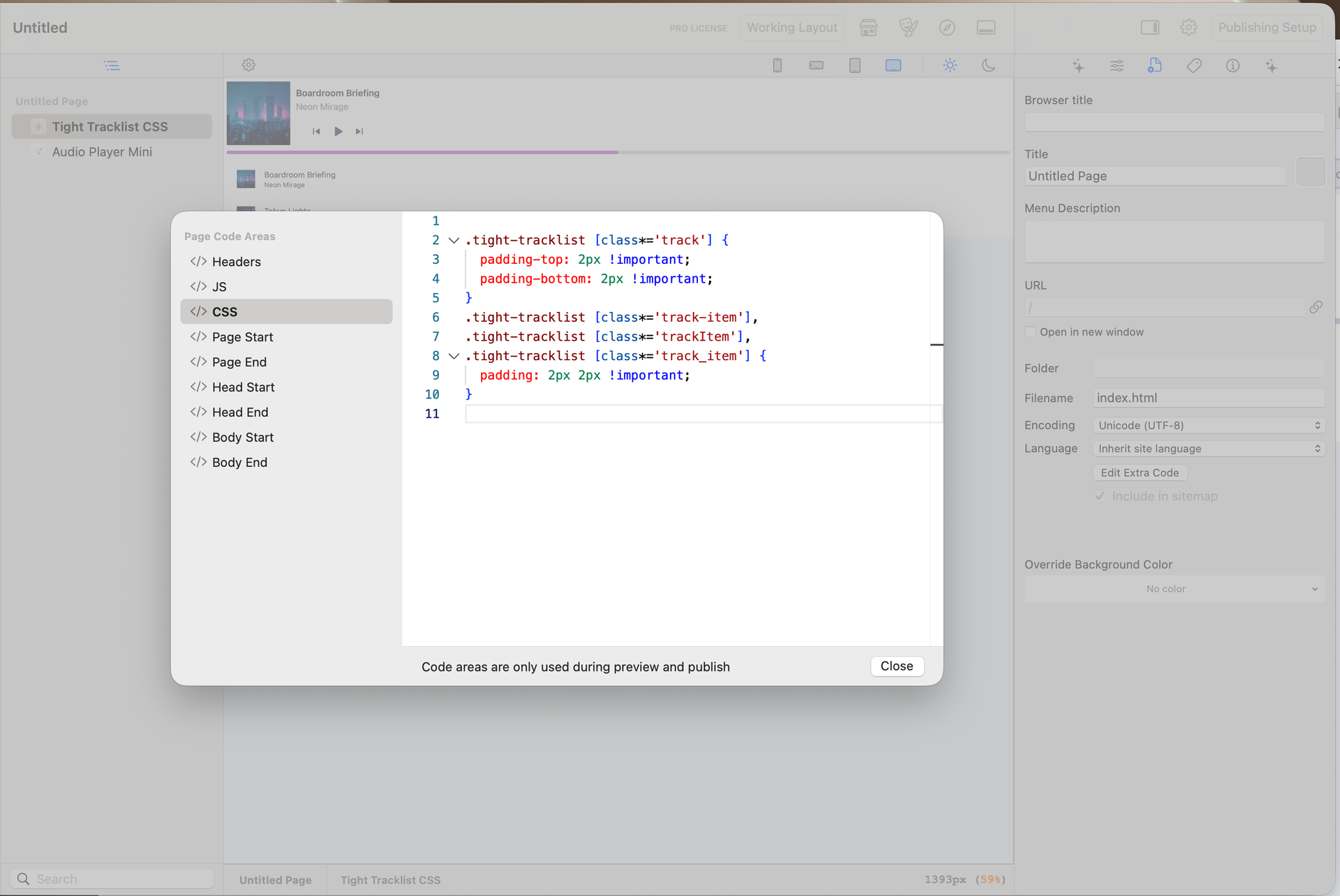
Paste this into the CSS Extra Code area for that page:
.tight-tracklist [class*='track'] {
padding-top: 2px !important;
padding-bottom: 2px !important;
}

.tight-tracklist [class*='track-item'],
.tight-tracklist [class*='trackItem'],
.tight-tracklist [class*='track_item'] {
padding: 2px 2px !important;
}
The player won’t look any different in Edit mode, but it will look different when you Preview and publish it.
Hi Dan,
Thank you so much again for this. Unfortunately it does not seem to work for me as nothing changes. I have tried starting the CSS code on line 1 and line 2, but it doesn’t help. Is it possible for you to send me the Elements project that you created so I can copy it from there maybe?
Many thanks

remove all of the \ (backslashes) and it should start working for you 

Sorry about that, give this code snippet a try instead:
  [class*='track'] {
    padding-top: 2px !important;
    padding-bottom: 2px !important;
  }

  [class*='track-item'],
  [class*='trackItem'],
  [class*='track_item'] {
    padding: 2px 2px !important;
  }
I’ve also uploaded a working sample project to Element Cloud that you can take a look at…
 Open Project Elements
Hi Dan!
Thank you! That one worked…I really appreciate your help.
Many thanks!