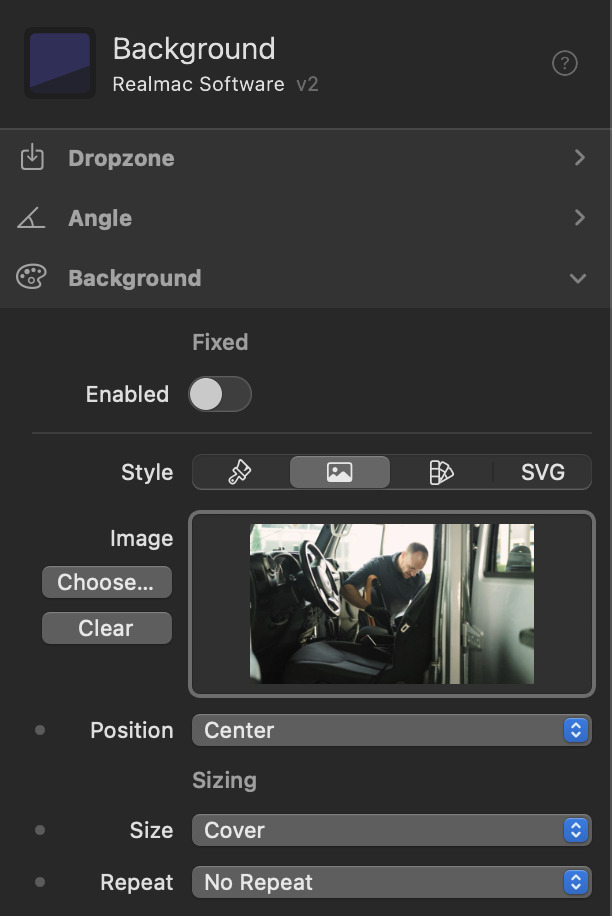
I’m fighting a limitation when using a background image, unless there is some sort of work around I’m not aware of. Currently when you select an image you have pre-defined postitions you can chose from, my issue is, none of those postitions work well for my image. I need to fine tune the image postition but I don’t see the capability to do that. Is there something I’m missing or is this not availble yet?
Is it a container? You can then use container settings to put it where you want? If you put a picture of what you want it might be clearer so people can help.
The image is placed within a Background component. I was able to find a new image that works much better. Originally, the only assets I had from the client were portrait images, and I was trying to make them fit as a banner. That’s why I was experimenting with the positioning. When set to Top, too much of the bottom was cut off, and when set to Center, too much of the top was lost. I really needed something in between. The new image I found is in landscape format, so it fits the banner perfectly and looks much better overall.