I have removed social media meta tags from the website template and from the advanced per-page settings and republished. Still when I bring up the source page from developer section of my browser, .i.e Safari, I still see the social meta tags. How do I remove existing tags, as I want to replace and do not want duplicate tags.
Hi @MHA,
Assuming all the meta tags have been removed from all the relevant places in Elements, did you try republishing all files?
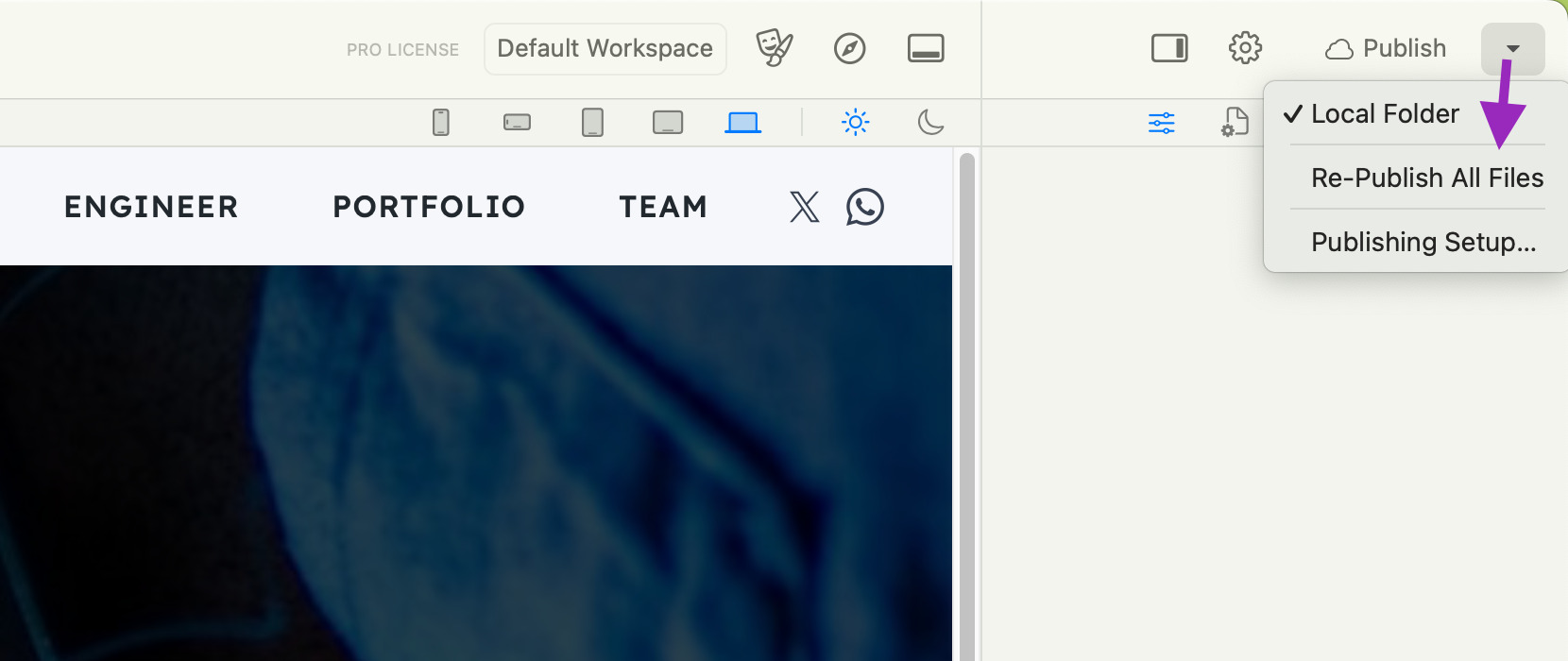
If yes and you are still seeing the meta tags, perhaps you are just experiencing a local caching issue.
If you can link to your website after republishing we can check if we can see the meta tags.
I’ll remove and publish all files. Maybe my publishing of “changes” is being selective. Thanks. I’ll update this post after the experiment.
Ok, let us know how it goes.
Site Template is clear of social media tags; Per-page settings “extra code area is clear of tags; Site files were all completely deleted at server level and all site files republished. Safari cache was cleared. Still tags shows in source view on browser. Perplexing, but appreciate your interest. Link: https://thoughtsondying.com
Some Grok research: . General Behavior: Most social media platforms, such as Facebook, Twitter/X, LinkedIn, or Pinterest, prioritize the first valid instance of a meta tag in the HTML section and ignore subsequent duplicates or conflicting tags. This is because crawlers typically parse the HTML sequentially and stop after finding the first valid tag for a given property.

Thank you. Exactly what I wanted to accomplish. Brilliant!
Awesome 