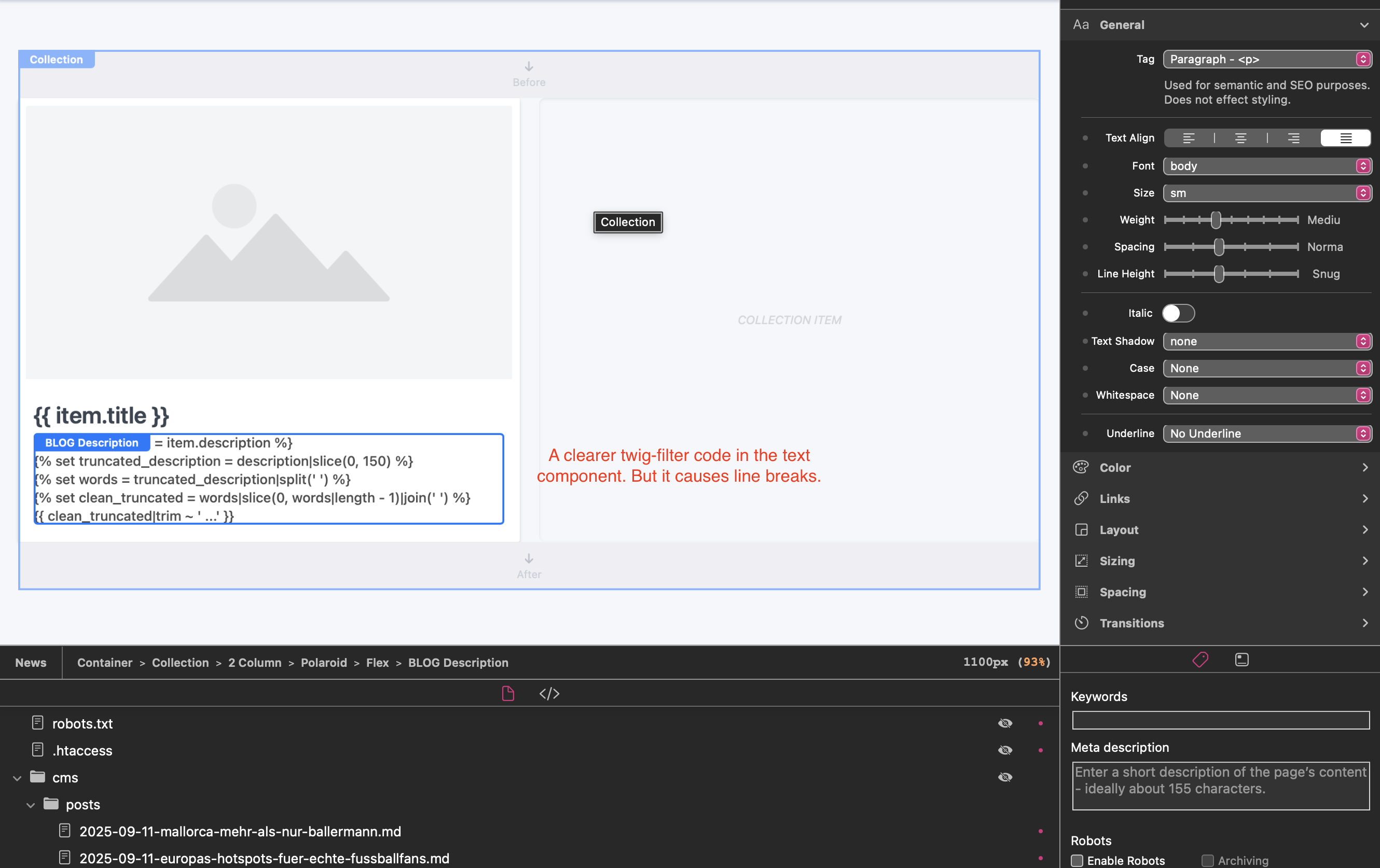
I’m using some Twig code to output the description in my blog:
{% set description = item.description %}
{% set truncated_description = description|slice(0, 180) %}
{% set words = truncated_description|split(' ') %}
{% set clean_truncated = words|slice(0, words|length - 1)|join(' ') %}
{{ clean_truncated|trim ~ '...' }}
But when I insert this Twig code into the Text component for my CMS blog, it unfortunately creates many line breaks.
My current workaround is to put the entire Twig code into one line and then insert that into the Text component. However, that means the Twig code is no longer easy to edit or maintain, and I lose oversight.
@dan & @ben: Do you see a possibility for the future to add an option in the Text Component that prevents automatic line breaks?”
This answer I kind of expected it ^^. Yeah, I still struggle quite a bit with custom components. Somehow the custom component and I aren’t friends yet. Also, I wanted to use this Text component globally across the site because padding/margin etc. are already set here.
So for now I’ll continue with my workaround, and maybe, over time, the custom component and I will become friends.
I think Custom Components are the way to go for this type of stuff. I can’t see us adding an option to disable line breaks in the Text component, as that wouldn’t make sense for its intended use cases.
What you’re trying to do is add custom code to your page, and that is exactly what Custom Components were designed for