The top image is what the a trial site looks like. The lower part of the image shows what it looks when previewing in Safari. Very first steps in changing to elements. What haven’t I done correctly?
Also the trial version says it will not save even though I have only used three pages.
It’s hard to say from the screenshot. Do you have any custom components on the page? It might be worth starting a new project, then slowly adding things to identify where the problem is.
Oh that’s odd, can you share a screenshot of the whole app, showing the page list?
Hello Tom Cromer for me.There’s an image there that shows (just about the three pages and the dialogue box that says I mustn’t have more that three pages?? No custom components being used just the basic ones in the trial. I have rebuilt the two pages a couple of times but it happens every time. Kind regards Mike
I’ve reproduced the page limit issue and will get that fixed up.
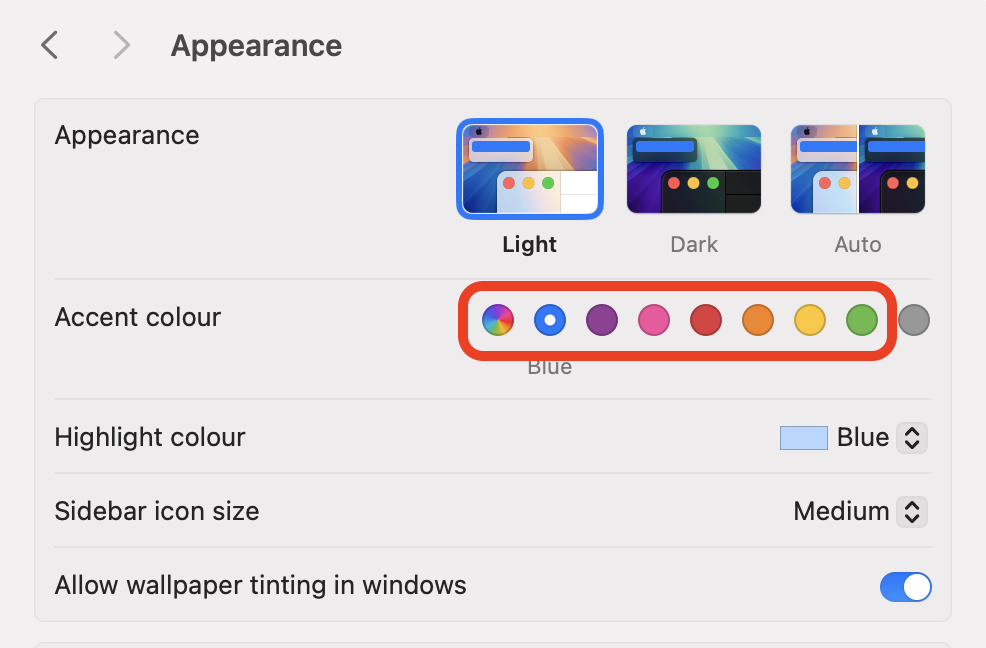
I think Dan is spot on with the dark mode setting. Also, from your screenshot it looks like you have the system’s accent colour set to Graphite. Swapping to another colour would make it far easier to see which mode is currently active. You can change that in System Settings under Appearance.