I’m currently working quite extensively with the CMS components to build my websites.
Along the way, I’ve come across a few points that make creating websites a bit more complicated compared to doing it the “traditional” way.
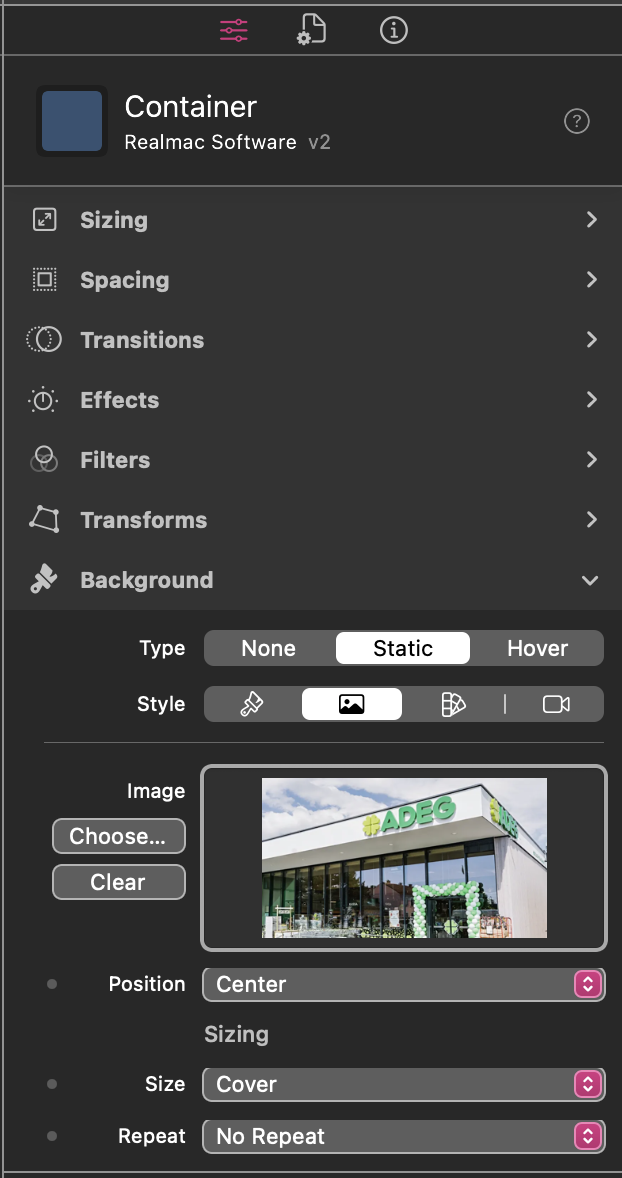
In particular, setting up a Hero Banner is proving to be more difficult. Is there a way — or maybe a future option — to access and output CMS image resources directly via the Container/Background, similar to how it currently works only with the Image component? Being able to do this would make it much faster and more efficient to build certain designs using Container/Background.
Additionally, would it be possible to add an option within the Collection component to define the number of “items per page” separately for each breakpoint?
For example:
• Desktop: 6 items per page
• Mobile: 3 items per page
That’s just an oversight on our part, so yes, I think this would be a good idea. I’ll create a ticket to get this added!
Not sure on this one It might have a knock-on effect with other components we’re building, specifically I’m thinking… pagination as that would then have to change on the fly based on how many items are visible
I wonder if you could “hack” around this, and have two collections on the page, and hide/show the right collection at the right breakpoint. It’s a workaround for sure… but it might be okay?


 It might have a knock-on effect with other components we’re building, specifically I’m thinking… pagination as that would then have to change on the fly based on how many items are visible
