Wondering if there is an easy way to protect content?
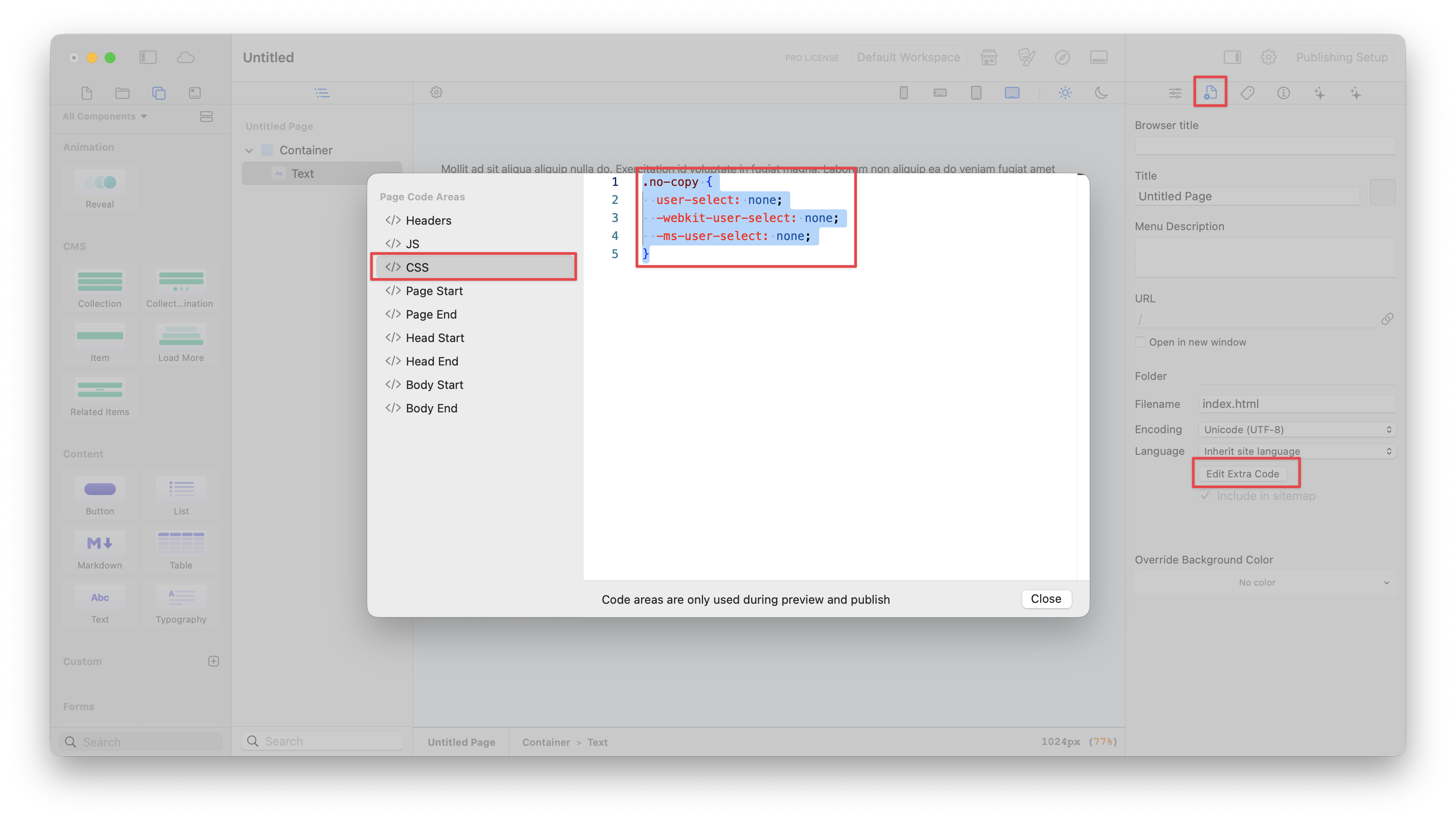
In stacks I used a plugin (Defender I think?) that protected my text from being copied and pasted. The content could still be grabbed from the web inspector, but it was a good initial deterrent for those without further skills and know how. Is there a way to do this in Elements?
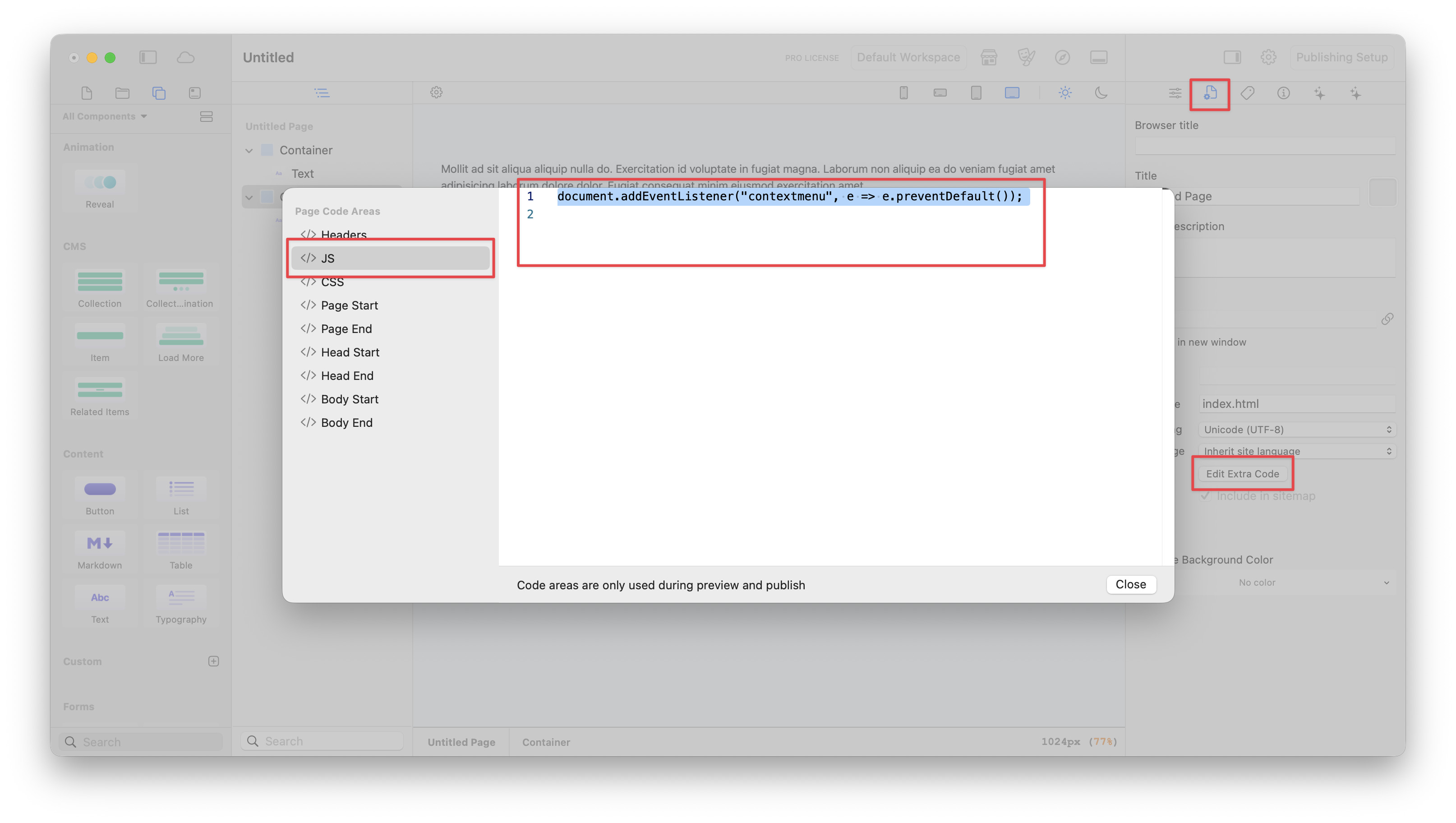
Optionally, you can add the following Javascript to the JS tab in the “Edit Page Code” area of the page(s). This will stop users from being able to right-click on the page.
document.addEventListener("contextmenu", e => e.preventDefault());
Hi @dan, many thanks for this. I have an html “app” that I have built (with some AI help!) I am going to try adding to one of my pages. I know it can be copied but I figure if I put in a first line of defence it sends out a message to say “no, no, no, I know what you are up to here” I will give your suggestions a go and come back if I get lost (highly possible!)
Brilliant - it worked (used 1 & 2). Thanks so much AND just to add I tried the third option on a test page and that worked too - text could be highlighted and no right click.

 I will give your suggestions a go and come back if I get lost (highly possible!)
 AND just to add I tried the third option on a test page and that worked too - text could be highlighted and no right click.