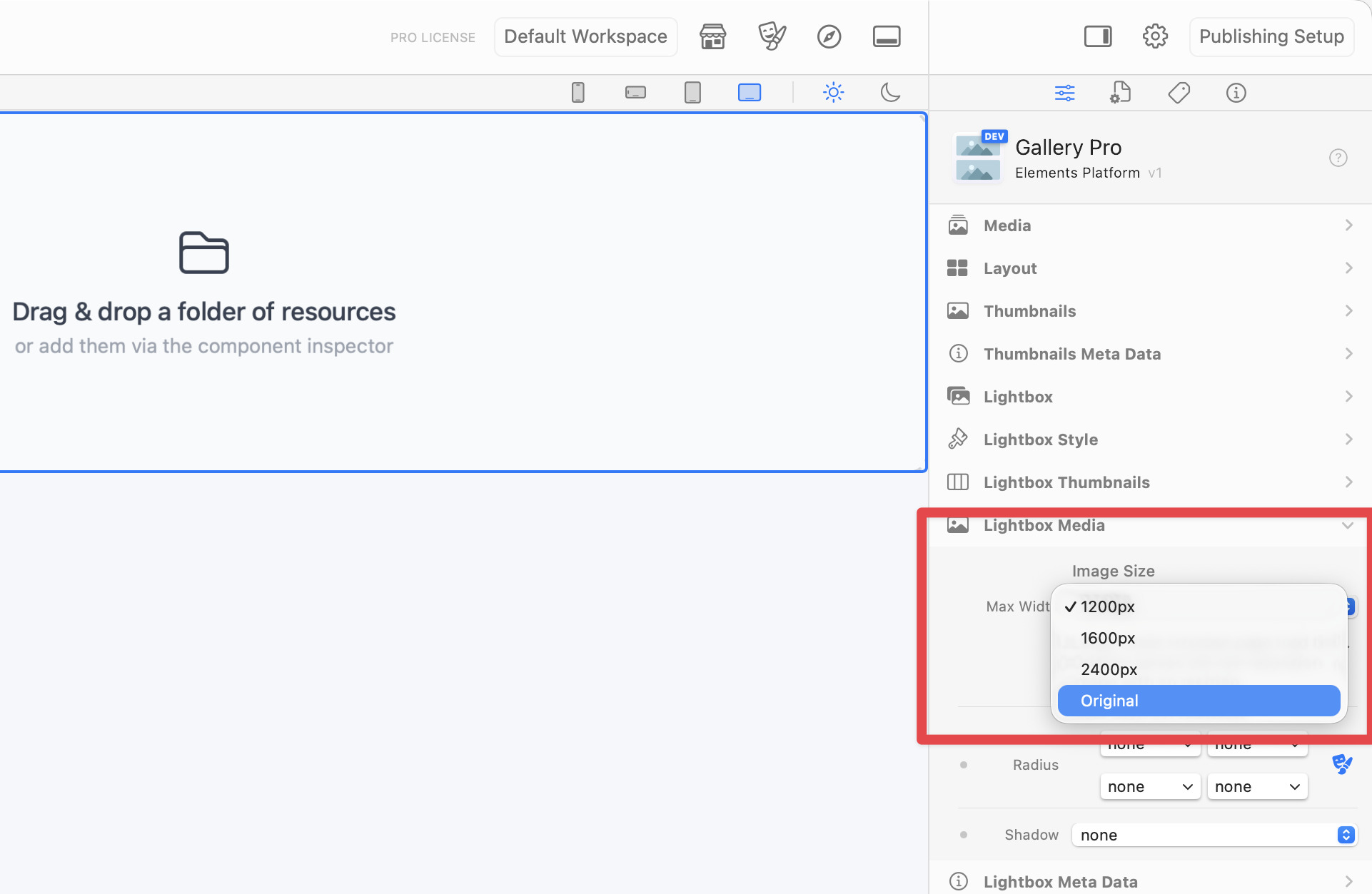
Can Gallery Pro be forced to use the original JPG in its lightbox (at least with the desktop viewport) rather than the rescaled version it wants to use and stay at the breakpoint width? I have a JPG that is 2048px wide (144 dpi) because I want my desktop view to be 1024px wide but Gallery Pro insists on using the 1200px image that it has created and then the browser scales that down based on the window width which means that the “design” of the page is thrown away. I don’t want the lightbox to get wider than 1024px just because there is more window width. I want it to look like the rest of the site as I am quite happy with the negative space on either side of the content.
Being able to move the prev/next controls onto or below the image would also be nice.


That’s very disappointing.
Ah, that looks like a bug. I’ve created a ticket to get this fixed asap for you!
Hi @mrp,
I have checked the Lightbox Media → Max Width setting when set to Original and it is working as expected — it will use the original image in the popover Lightbox.
The code screenshot you’ve shared shows the thumbnail image code, not the Lightbox images. The sizing for the thumbnails is controlled via the Thumbnail → Width setting, and this is why you’re seeing resized images in the code you’ve shared.
Hope that explains things, but do let us know if you need more help!
Well that’s even more annoying as the setting under Thumbnail only has a px size and you can’t tell it to use the “original”. If I set it to be the same size as the actual image (1024px) it creates a “@1024” version of the image to use with a reduced resolution and stripped of copyright info in the limited exif data.