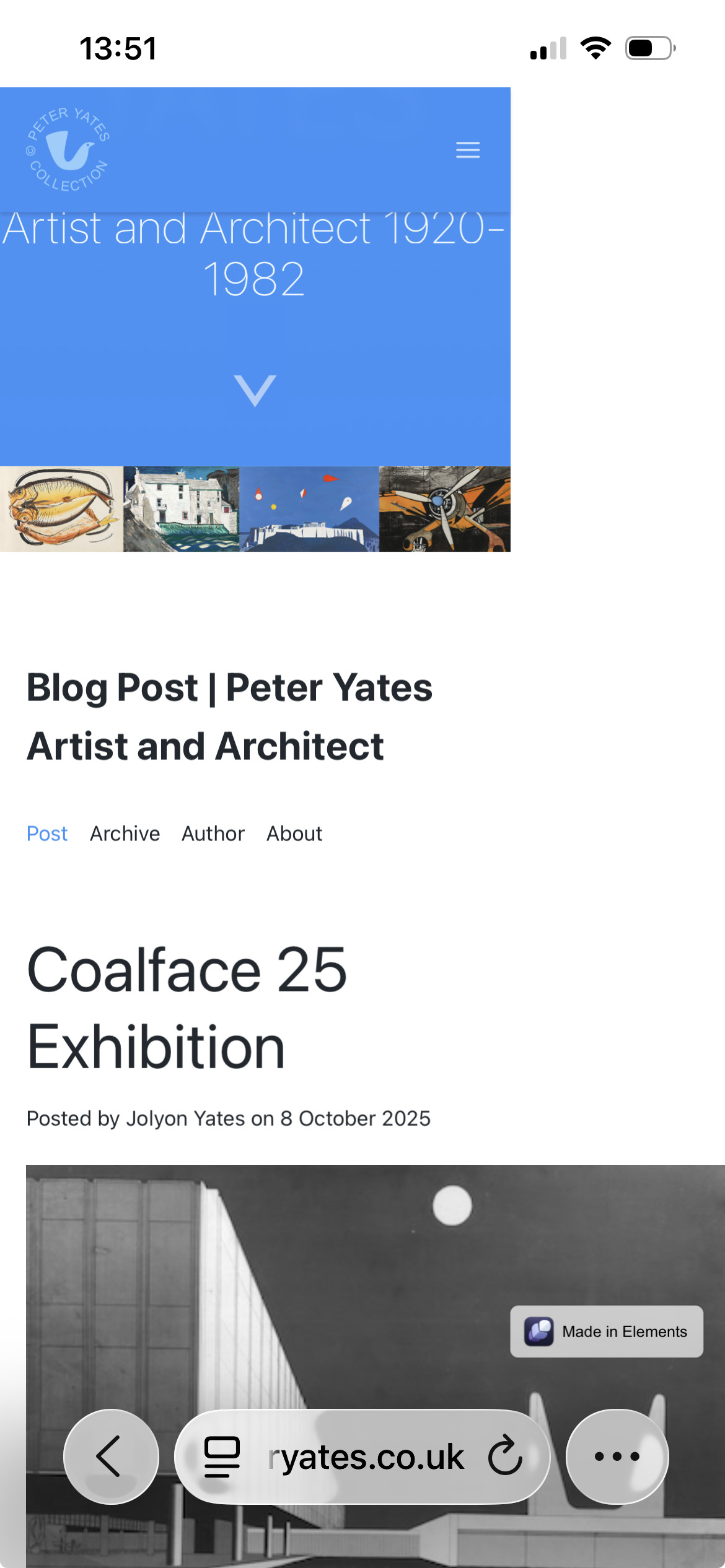
I think I’m understanding that markdown isn’t going to give me responsive images and this is throwing my formatting out when viewed on my iPhone. example here
so I’m looking for a solution
perhaps … limiting the width of an image to 500px
… can anybody give me a simple solution for my example markdown below :
100%: will stretch the image to fill the available space in the parent, if the image is not naturally large enough already. Or shrink it if it’s to large naturally.
Auto: will shrink the image if its to large naturally, but will not stretch it to fill the available space in the parent if it not already naturally that wide.
EDIT:
Having said that.. Elements does not work like this, as the sizing you define in the image component are not applied to the image it’s self, they are applied to the parent div, so milage may vary.
@jbob you’re setting a pixel width on some of your images. When you do this it forces the image to be that width, even if the screen size is smaller. This is why you’re getting issues.
I’d recommend never setting a pixel value on images, not if you want your site to be responsive and just work on all screen sizes. You’re better off seeing it to “Auto” or setting a % value.
OK - some progress made here - but my original question is still …
Like on the following page … if you’re calling images within your markup post - naturally they’ll be width that you set the post - unless you say otherwise, so how do you say otherwise.
The markup blog is calling an image using ! whatever - but is displaying it as big as it can within the post container.
Sure you can control the size of the ‘featured image’ - but what about images you’re calling within the post ?
In the example - we control the featured image just fine - but the other images will just be the size they are (unless we somehow specify that in Markup !?? … or am I misunderstanding something