Dear all, I would appreciate some more text styles when a site in the menu is active. Italic, bold or size would be very helpful.

I meant the text in the menu bar.
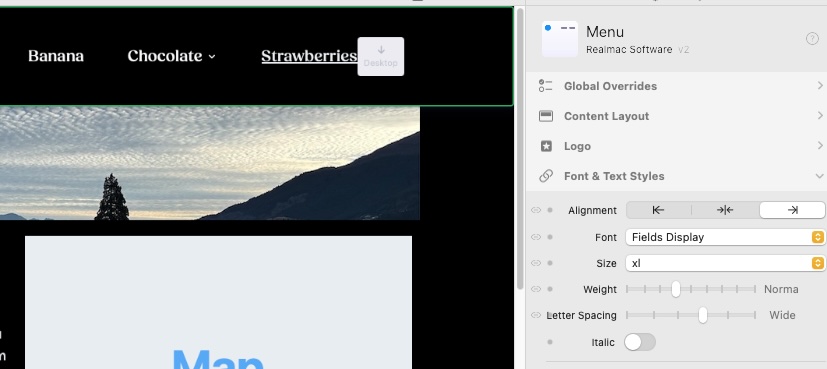
Yes I know. But I desire options just more than underlined. This looks pretty ugly. Bold and another size or spacing would be fine.
weight adjuster is light to bold
Right. But only for both situations. Active and non active.
@elementsbot can you assist here?
Hey there! It sounds like Multiferry is looking to customize the text style specifically for active menu items. You can achieve a more dynamic menu design using Tailwind CSS classes in Elements. Here’s a quick way to apply different styles when a menu item is active:
-
Access the Menu Component: Click on your menu component within Elements.
-
Use Tailwind CSS Classes: Add utility classes to style active items differently. You can use classes like
font-bold,underline,text-lgfor size, ortracking-widerfor spacing adjustments. -
Active State Customization: Use the
activevariant of Tailwind to style active states, such asactive:font-boldoractive:text-xl.
If you’re feeling adventurous, you can even use Alpine.js to toggle more custom behaviors based on state changes. But for most needs, Tailwind’s variants should do the trick.
Give it a go, and let me know if you need some code snippets! Happy styling! 
I misread the original question so sorry Mr Ferry. Do agree with you so may have to try some of those Bot suggestions myself.
Thanx. I try to work that out