Doobox
September 29, 2025, 8:29am
1
Hi there,
I’ve wrestled with this one a while. I can do it with custom CSS but can not find how to without?
Works fine on MacBook Pro screen, but on larger Studio Display the video is cropped off in height so you can no longer see the mp4 controls.
You can replicate on smaller screen by changing the aspect ratio of the browser to shorter and wider.
The video does not seem to respect “contain”, even when I have calculated and entered the exact aspect ratio of the video.
I have left the project file in a default state to play with:
elementsapp://downloadDocument/uGfPuEqz0Q48
dan
September 29, 2025, 8:51am
2
Will have a look at this today, but off the top of my head I’m thinking you might need to use the modal component instead for this
Let me chat to @ben and get back you on the right way to do this!
dan
September 29, 2025, 9:14am
3
After doing a deeper dive, it appears the video should scale with the browser, but obviously doesn’t. So yeah, this is a bug!
I’ve created a ticket for it to be fixed in the next build
dan
October 1, 2025, 4:27pm
4
Doobox
October 3, 2025, 9:00pm
6
@dan @ben I think it needs another look.
You fixed it for mp4 videos, Thanks!
Example (I was doubting myself
dan
October 3, 2025, 9:06pm
7
Ah yes… we noticed that in our testing and it’s been fixed already, will be in a build early next week. Sorry for the delay!
Is this update still in the pipeline this week? Thanks for a fantastic product!
dan
October 8, 2025, 3:20pm
10
Yup, will drop shortly, stay tuned!
Doobox
October 9, 2025, 5:45pm
11
Sorry Guys, think it still needs more work.
You can see its misbehaving on the Elements website as well bursting out of the container width.
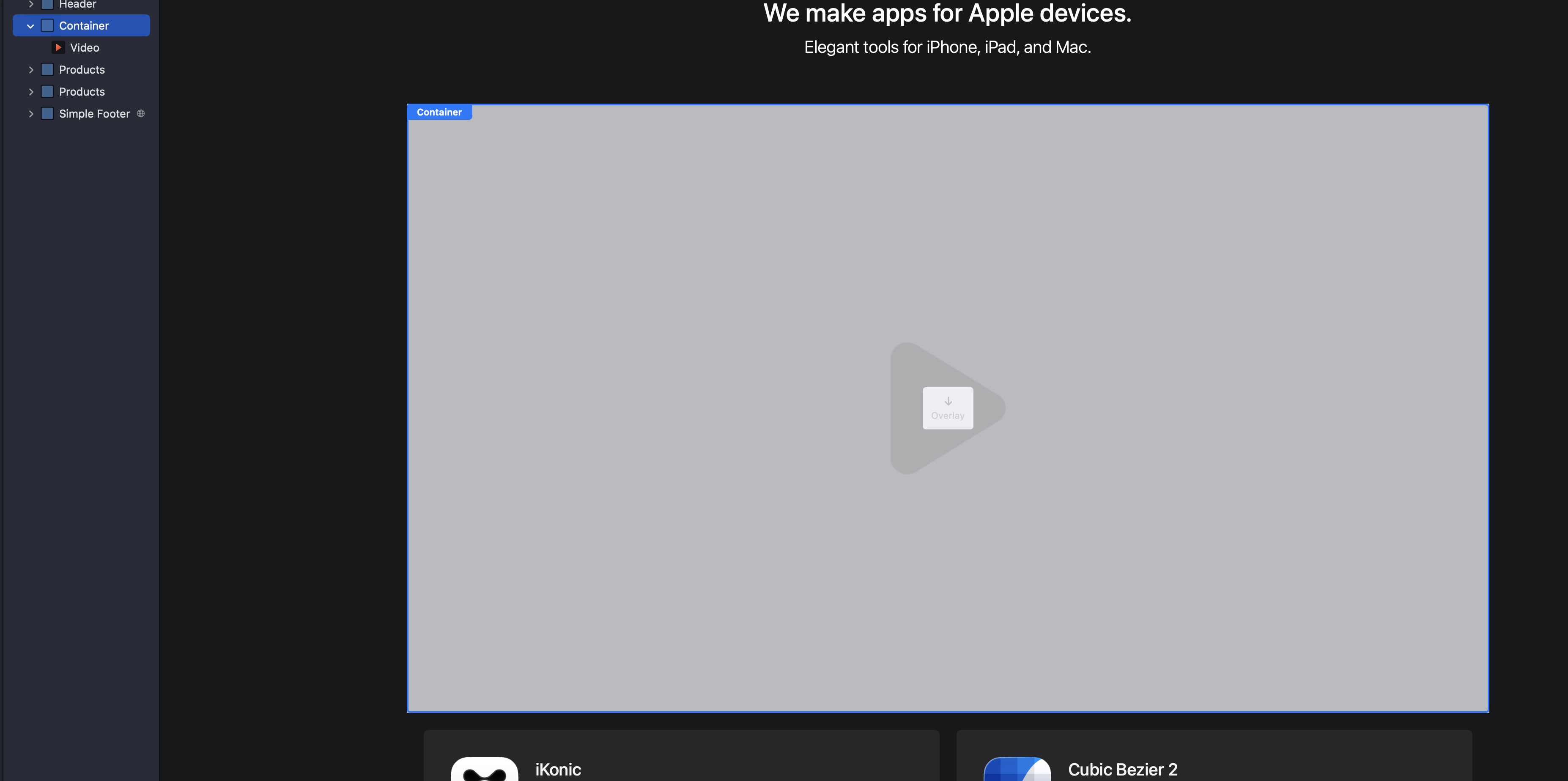
Image 1 edit mode.
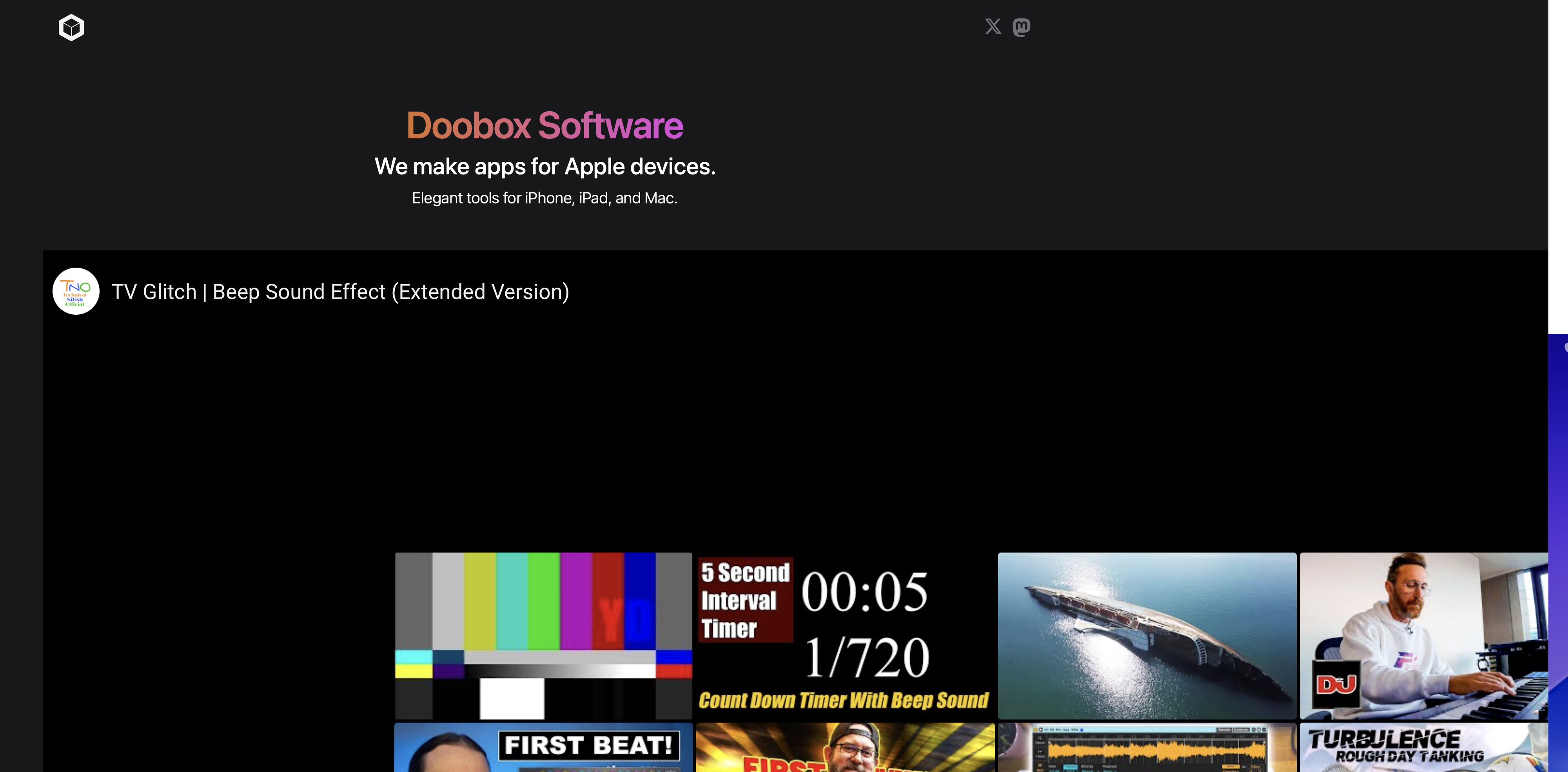
Image 2 preview after clicking play.
Doobox
October 9, 2025, 6:04pm
12
And the same bug as original post is back but for YouTube now.
ben
October 9, 2025, 6:12pm
13
I’ll check this one out again and see if we can get a fix out ASAP. Apologies for the inconvenience!
Doobox
October 10, 2025, 12:58pm
14
1.3.7 fixed the issue with YouTube video cropping in the modal, but did not address the issue with inline video. Attached project, everything is in a default state.
Note the inline version spills its parent container on playing / appear.
elementsapp://downloadDocument/F2091XSwx5gX
dan
October 10, 2025, 2:22pm
15
Okay, we have one more build in the works that should finally, finally, finally, fix all these issues
btw. If you need more control (or an alternative), you can use the separate modal component that should do the same job
dan
October 10, 2025, 2:34pm
16
Doobox
October 10, 2025, 2:50pm
17
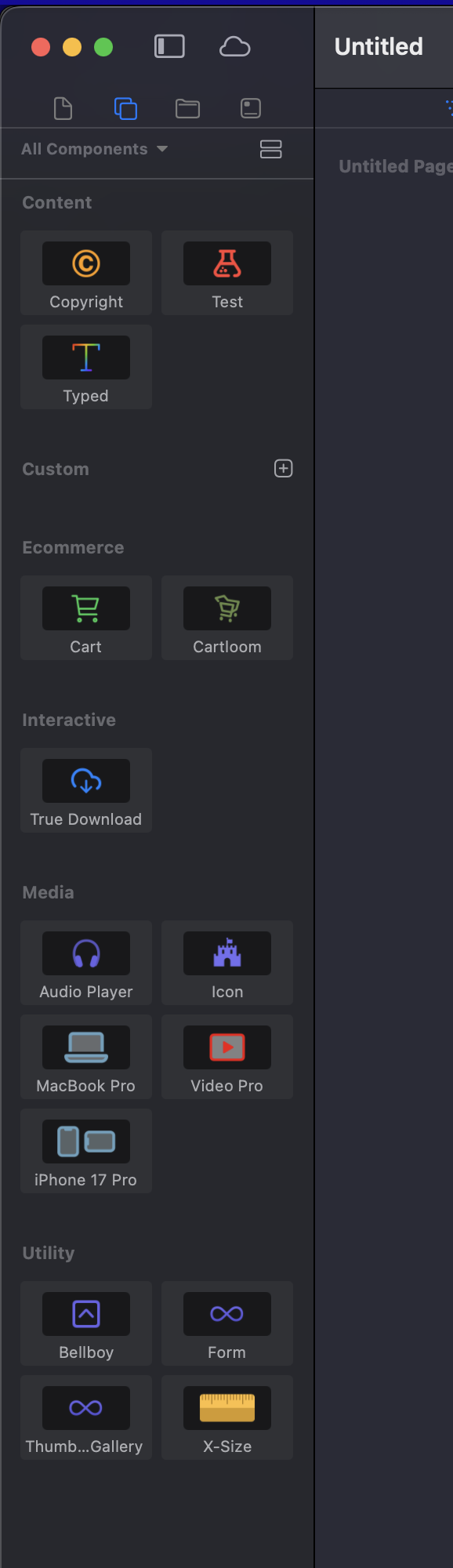
@dan All the realmac components are missing in this latest build
Only my own components can be seen.
dan
October 10, 2025, 3:26pm
18


 ) :
) :


 New build coming in 3…2…1…