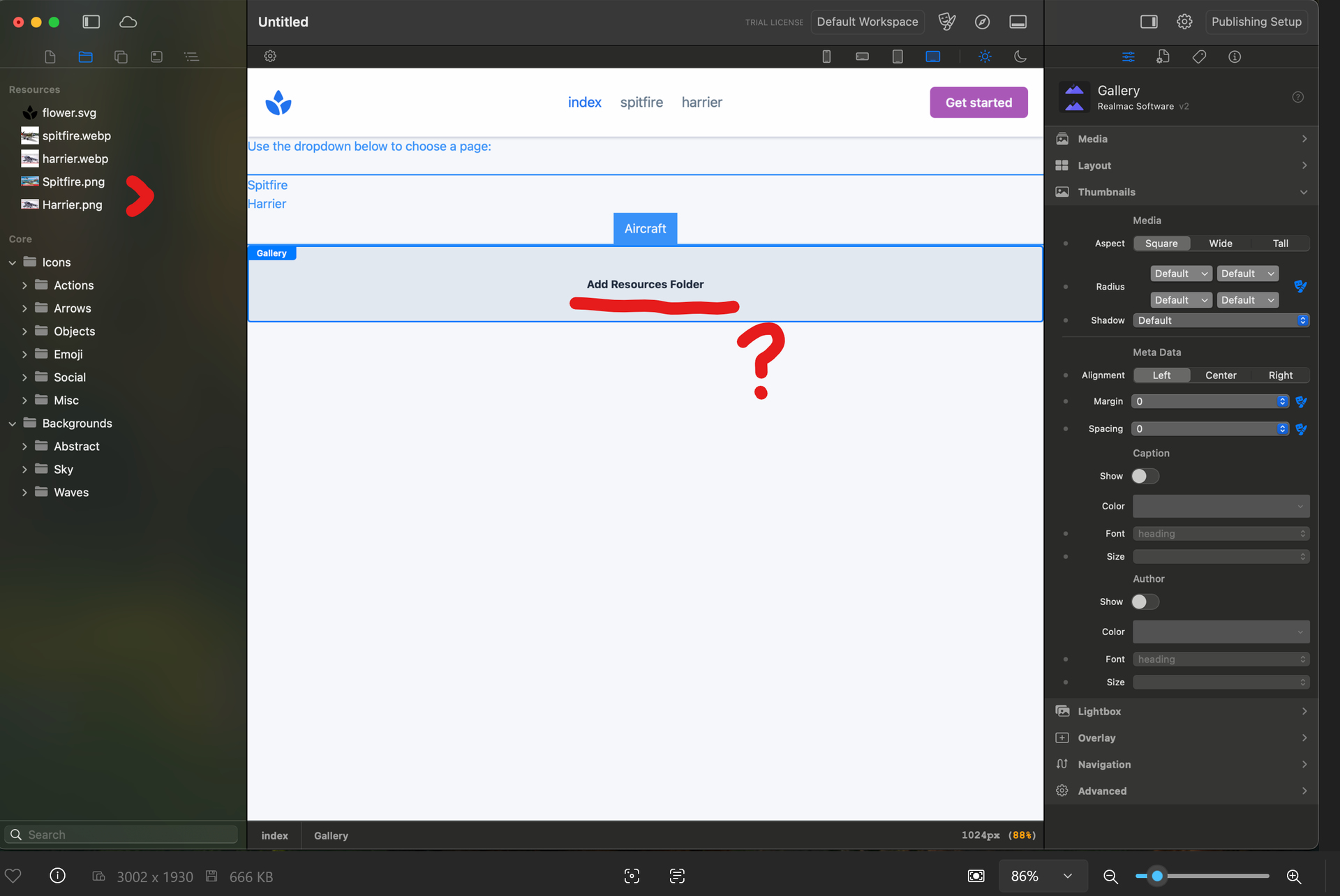
Where am I adding "Add Resources Folder" from?

Where am i adding “Add Resources Folder” from? The two images that i want are in the resources folder of the left sidebar (highlighted with red “>”).

Or should it be saying “Add From Resources Folder”. But if I add the two files by dragging them into the Gallery, nothing happens.

This is trial version.

What it is trying to tell you is that you need to drop in a FOLDER of images, so the five images you have in the resources need to be placed inside a folder, then drag that folder into the gallery.

You can select the five images and then right-click and choose “Folder from Selection”.

@dan @WOS

not sure if this is a bug or me, thought previously I could select photos then right click and create folder from selection, now I have to select the images then right click on Resources??
That worked for me - selected photos then right click and create folder; thank you.

But it doesn’t work a second time to create another folder for another gallery…..

you cant use the same image resources for multiple folders…. have to re-import for each folder

Yes, I just noticed this as well, seems like something got changed.

Ah yes, this is a small bug, we’ll get this fixed!