jbob
(jol yates)
1


My blog calls up a blog post in Elements just fine !
But once published … clicking on a blog post gives me an error 404
I can see that the URL it’s calling in Safari is MISSING the “?item=” before the post name (at the tail-end of the URL)
If I type it back in, the post shows up … just as it should
How can I get Elements to publish to the ‘correct’? address which includes “?item=”
Not sure if this is it, but do you have the pretty URLs code added in your .htaccess file?
ben
(Ben)
5
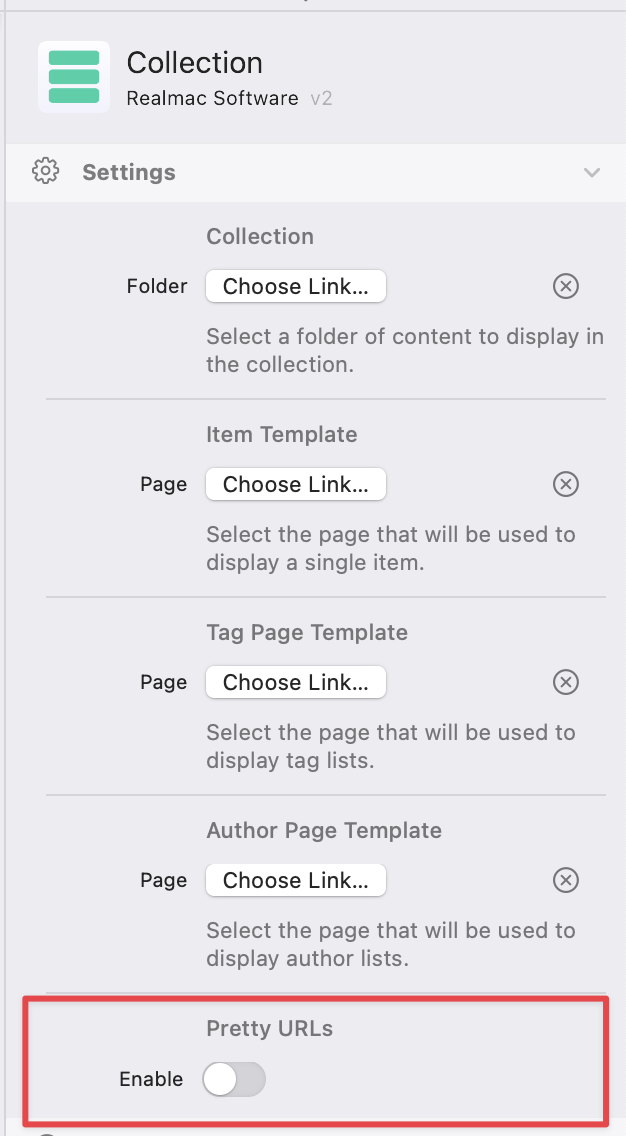
this looks like you’ve turned on “Pretty URLs” but don’t have an htaccess rewrite rule to make pretty urls work.
Turn off the Pretty URLs setting on the Collection and you should see it start working as expected 
Why not use pretty URLs though? It would look prettier than having that ?item= string in the URL. 

jbob
(jol yates)
8
You sure sell them well !!
Honestly … I dont understand them … need to read about them
Pegasus
(Pegasus)
9
Maybe because of the canonical tag issue. Unfortunately, blog posts aren’t being indexed that way.