I’ve been banging my head against the wall with this since I launched my website yesterday, but I’m stumped. My contact form (https://chrismageemusic.com/contact/) won’t work. My hosting company support confirmed that my settings for connecting to the mail server are correct. Every time that I attempt a test message, it fails. It also failed when the hosting support technician attempted to use it.
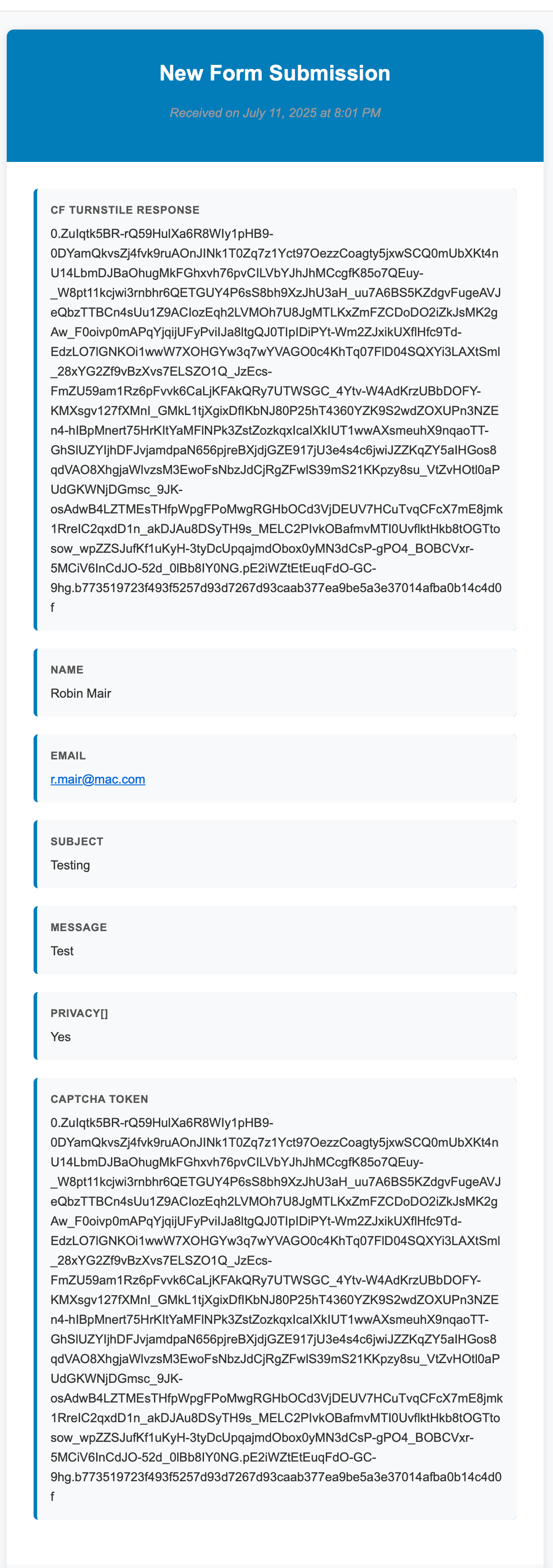
However, since last night, I have received two email submissions from that form (both spam). Why does it work for those spammers, but it won’t work for me? I’m attaching one of the successful emails. I tried to upload my project file but this system won’t allow the upload, so I have uploaded a copy to my Dropbox here. I’d appreciate any help you can provide.
Your contact form doesn’t work. Those emails that you received from spammers, are made to look like they come from a contact form, but that’s not what those mails look like as standard when you use Element’s form.
So, those spammers didn’t magically got your form to work - they’re just trying to trick you into thinking those messages came from your own contact form.
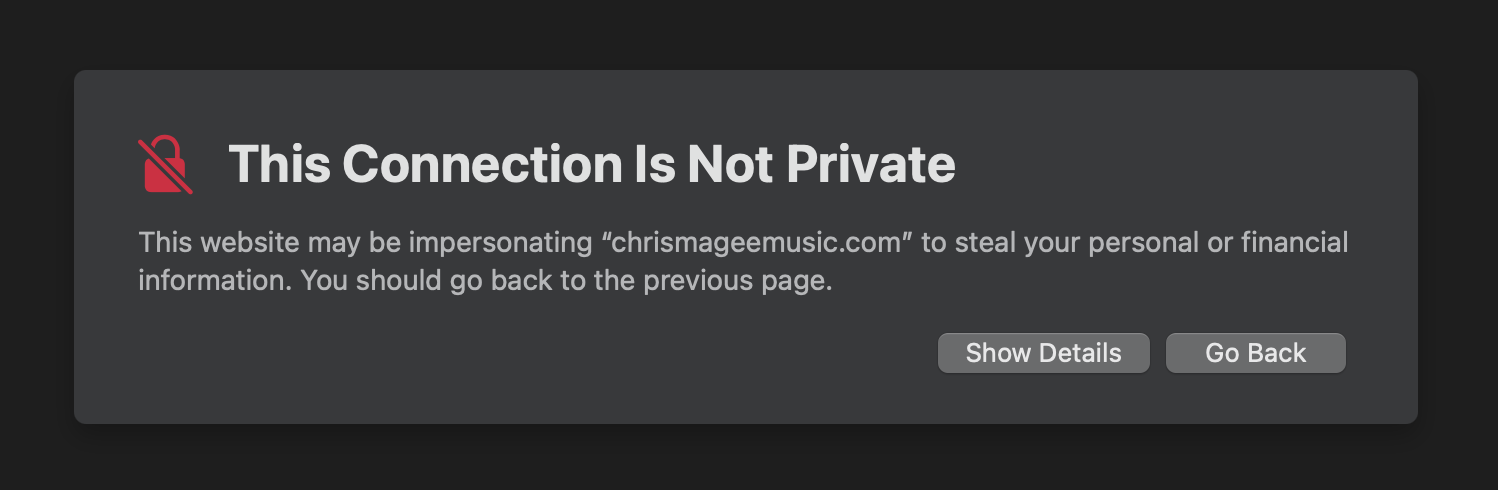
Now, WHY doesn’t your contact form work? My guess is it has to do with reCAPTCHA, which fails to load on your website. Also, the SSL certificate for your site isn’t valid (which throws the error that @pumpkin screenshotted).
One might be related to the other.
I’d first try to get the SSL certificate to work, which your host should be able to help you with. It might be that the reCAPTCHA starts working when the certificate does. If it doesn’t, check back here.
as others have mentioned above, I think one issue is it that your domain/server is not properly setup for https — it gives a warning when viewing the linked page. I’d suggest contacting your hosting company about this issue.
Do you have spam protection setup on your form?
Are you trying to upload to Elements Cloud? (our free platform for sharing Elements projects.)
@Heroic_Nonsense Just to clarify (and this is our fault not yours) — this is actually one of the new designs for form emails in Elements. We haven’t publicly announced this update yet, but it’s part of a recent backend improvement where the Forms and CMS now share a unified API.
@leadtromba So yes, that email layout is expected and it did come from your form. All part of the recent enhancements happening behind the scenes!
@ben How do we get our emails to adopt this new appearance as it is so much better than the plain text version. If this is not yet available how did these spammers get it to work?
@dan It seems to be there now, but one of the old problems that @ben had previously elminated has returned. As you can see it is displaying the Turnstile token and for some reason something from reCaptcha, which is not used in my form.
Thanks for everyone’s help. Since I couldn’t get the Elements-based contact form to work, I went with a 3rd party contact form for my website.
Thanks
Chris
That is what I did and everything is working fine, except for the fact that the resulting email has a huge amount of crud from Turnstile and reCaptcha, which can normally easily be deleted. But the new form layout (which I like) does not allow you to delete anything when you are forwarding the message (or replying).
@dan As I am looking into Elements now, can we disable recaptcha? GDPR wise I would need a consent for this, and I hope you can rather use a honeypot for the contact forms?