I’ve just update the CMS docs with some handy info for using CMS data in your components. I still need to add more information and examples, but I hope the information currently there helps anyone playing with the CMS 
@ben This is very helpful.
Question: With the Frontmatter, when entering a title or date, does it matter if the text is in quotes or not? I ask because when I create an MD file in the pages panel, it quotes the text, but your sample shows it with no quotes. My testing shows it does not seem to matter. AS i have been testing both an MD file I created in Elements and one I created in Bear, and exported and used in the resources.
One thing that has struck me while playing with this is that it would be so much more efficient if you could edit files like these directly from the resources. It is a royal pain to have to write an MD file in Bear, export it somewhere, and then have to drag it into the resources, which of course breaks the item link. I keep forgetting to update the link after changing the file, and I get a bunch of errors when previewing. This whole process with resources has bothered me for a long time. I want to be able to edit anything I have in the resources, in place.
I’m also curious what the best practices are going to be with these MD files. Is it better to create them in Elements or an external editor? It looks like it shouldn’t matter, but I’m curious.
Yes, I voted for this at the time. I don’t understand why it is not a high priority, as it would improve my workflow immeasurably.
@ben This is mind-blowingly handy.
I have already been able to convert my custom privacy policy component to use the CMS to populate the privacy policy in the pop-up modal. But the real beauty of it is that I have a single file now that is used both on the privacy policy page and in my consent modal. Incredibly useful and efficient.
This is a game-changer!!
This just keeps getting better!
On one of my sites, I need to display sets of dimensional data on a series of products. Before, I was doing this using the core components and grids.
Now I just experimented with using the CMS to handle this using a collection and some custom Frontmatter in my MD files that defines the pieces of data that I need to display. I then create a template that extracts this data into a three-column layout. Bingo, now I have an easily managed set of data that is transportable across the two sites where the data is utilized.

What is even more exciting is that this is markdown, so I can use things like “” to get the superscript for the square values. Neat!
Now I just have to go off and create a LOT of MD files.
The real power lies in the fact that you can leverage the core components to create really beautifully formatted content from an external source.
I already love the CMS as it is opening up so many opportunities to improve my sites and make them smaller. What a winner.
I have no idea what’s going wrong, but something definitely isn’t working.
I’ve spent the entire evening trying to get the CMS running. Locally, the CMS works flawlessly in my projects and in the CMS project file.
However, as soon as I publish the projects, I get a “500 Internal Server Error” when I try to access the blog. This problem occurs with my own projects as well as the CMS project file, and happens with different web hosting providers (all-inkl / netcup).
I’ve already cleaned out the relevant directories several times and done a full “Re-Publish All Files.” I’ve also tried all PHP versions from 8.0 to 8.4.
From one of the web hosts, I found the following error message in the log files:

I thought Ben said we should not be attempting to publish with the CMS?
really? when, where… what???
He mentioned it a few times during the video he did today.
When I click “Load More,” the page doesn’t update with new blog posts.
I’ve added some more information to the Frontmatter docs.
Safest bet is to always use quotes, but it depends on what’s inside the value. Check the docs for examples
Yes, I’m seeing the same problem. Load More does not appear to be working. For me, it refreshes the page, and then the Load More button disappears, and no additional items are displayed. I tried this with a couple of different collections, and they all had the same problem.
For some reason, it seems to work in the demo.
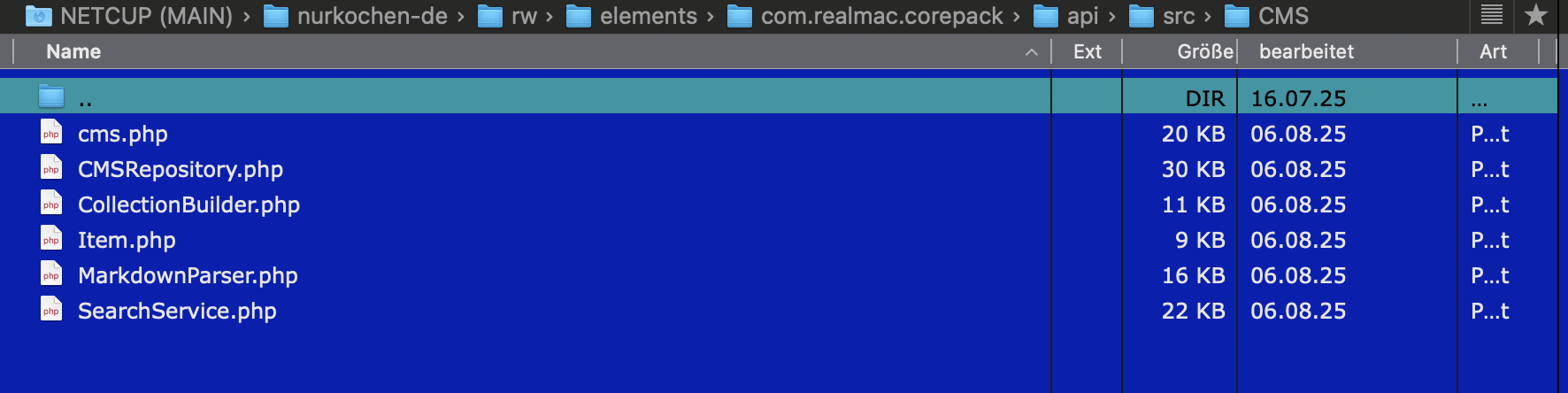
Hmmm, from the screenshot you’ve added, it looks like the rw/elements/com.realmac.corepack/api/src/CMS/CMS.php is not on the server — could you login and check that file is there?
I know you said you’ve already Re-Published all files, but that error is saying there is at least one very important file missing 
@ben One thing I would like to see added to the CMS system is a sort option that will respect the layout in the folder being added to a collection. The two current options are fine for something like a blog, but if you are trying to use it for a case where the order is very specific, it would be nice if it would respect the structure in the folder. I suppose this amounts to a “manual” sort order.
I wouldn’t recommend doing so with this initial beta release. As I said in the video a few times: this is an early beta release, there are bugs and limitations. This release is aimed at getting feedback and ironing out the major issues that crop up.
I’d need to see at least the console logs for this, very difficult to see what’s going wrong from just a short video 
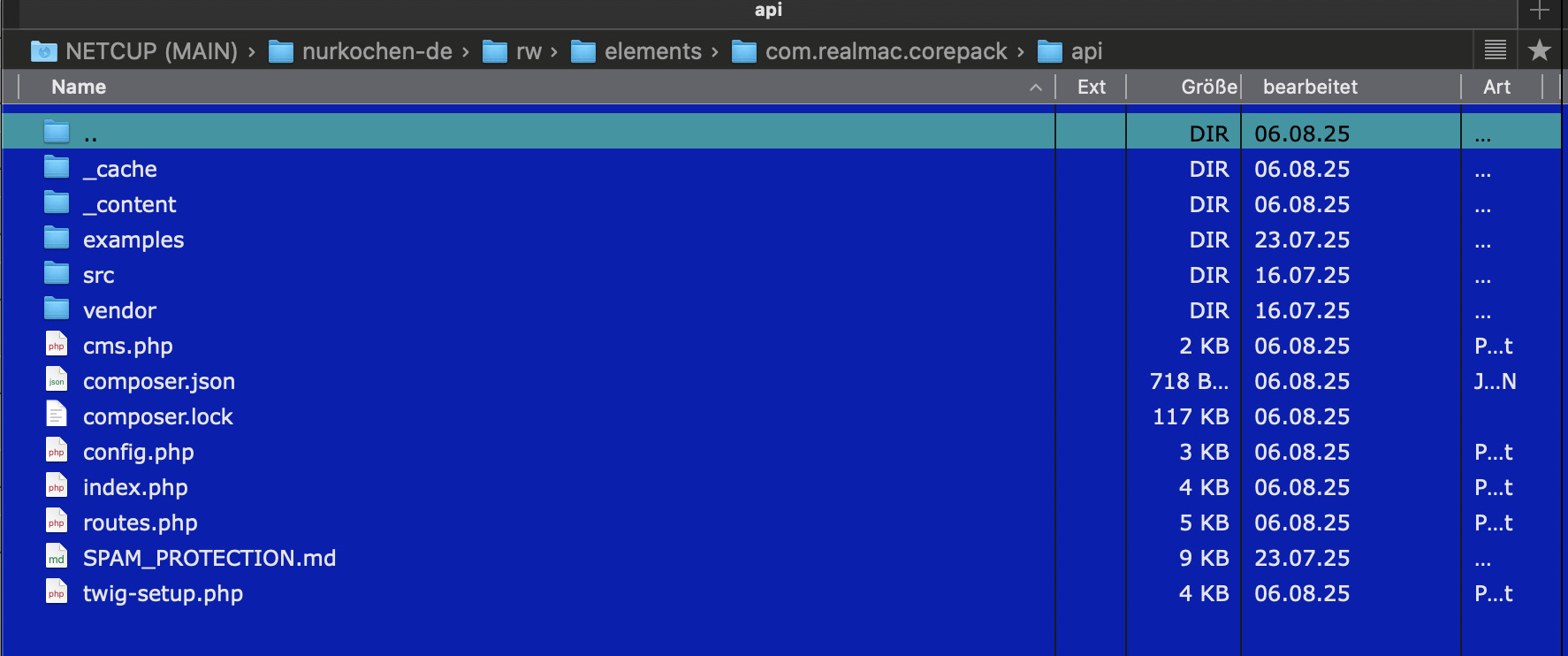
you need to check the src folder, and see if there is a CMS/CMS.php file. So src/CMS/CMS.php.