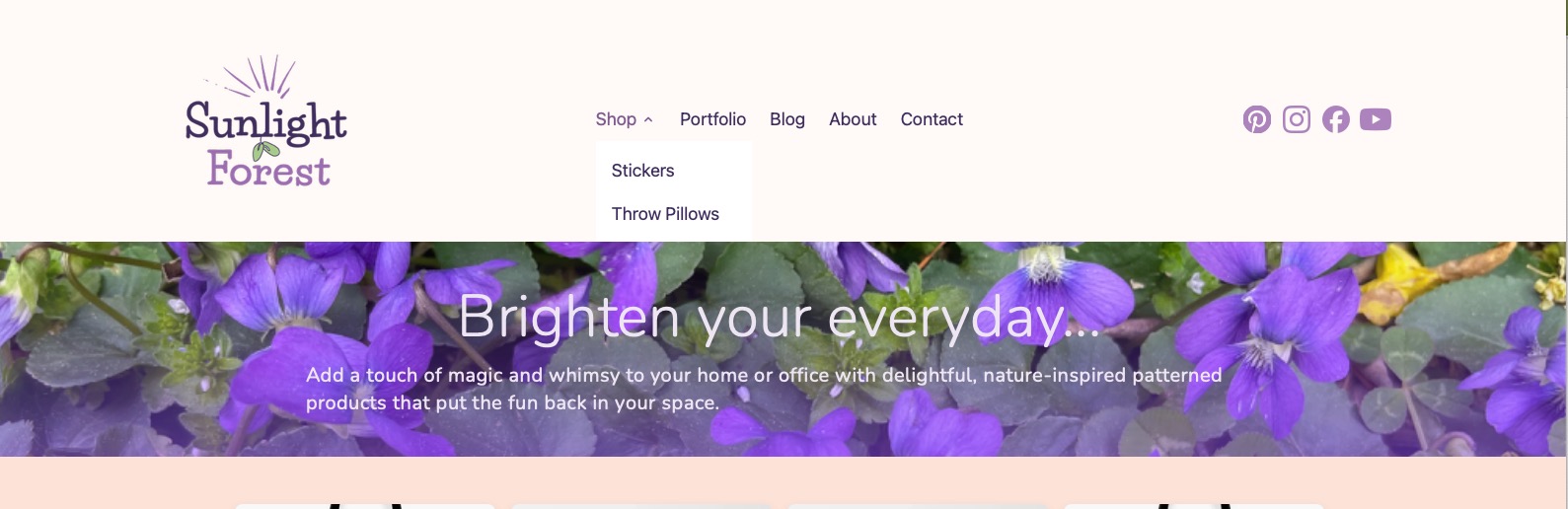
I just got Elements a few days ago and still learning the ropes. I’m having an issue with the dropdown navigation when I preview the page in the browser.
When I click on the Shop dropdown, it only shows 2 of the six choices for the menu. My guess is the rest of the menu might be hidden behind something else, but if that’s the case, I don’t know how to correct it.
As you can see from this screenshot, there are more than 2 options listed under the Shop page:
I am using the Standard Menu listed under the Core Components. I could not find a place to edit the menu anywhere but in the navigation of the site pages.