@dan@ben Is there a trick to getting custom properties to show up? I realize that often there is a minor syntax error that causes problems. However, I have encountered situations where I have a working set of properties that I attempt to copy over to a new component, but nothing appears in the Property Inspector.
Or as has happened to me frequently in the last couple of days. I decide I need to add a property that is merely a copy of an existing one. I copy and paste it in, and it never shows up. The code is there, but nothing I do makes the property reveal itself.
I’m sure there is a trick to making these things appear when you add or remove them.
What am I missing?
I’m dreaming of a day when properties can be created for a custom component by simply assembling a bunch of appropriate “property blocks,” thereby avoiding likely coding errors.
@dan I agree that it could be a syntax error, but in my case, I seriously doubt it. The reason I say this is because I copied the code from a fully functioning component into a new component, and no properties showed up at all. So clearly something else is going on.
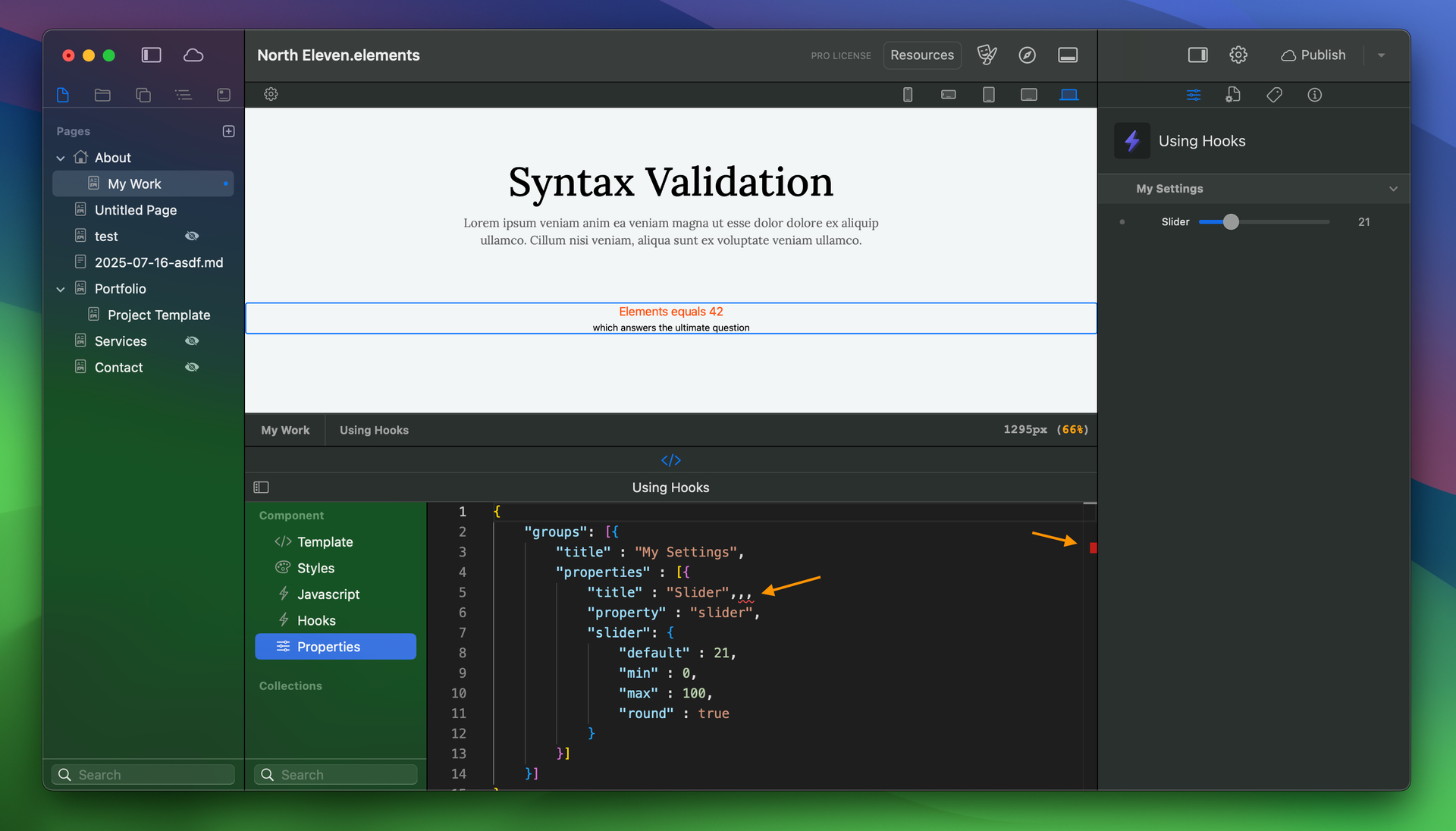
I see a new version is out with syntax validation, that should be interesting and hopefully will be very helpful. Although a lot of the time I edit the code in an external editor because it is a lot better and tracking the general layout of the code.
@dan Using the new validation features, I have been able to debug it and get it working. I still need to test the case where I copied some working properties to a new component and nothing appeared.
This syntax validation makes a HUGE difference.
QUESTION: when editing properties there are small square boxes that can appear on the right edge of the pane, what do these mean and how do we leverage them?