I liked hearing that you started a podcast. If you are looking for topics to talk about I had one idea. I’m considering rewriting my first site so that it can run on elements. Despite owning elements for a while I haven’t made a site with it yet and I’d love to start this year.
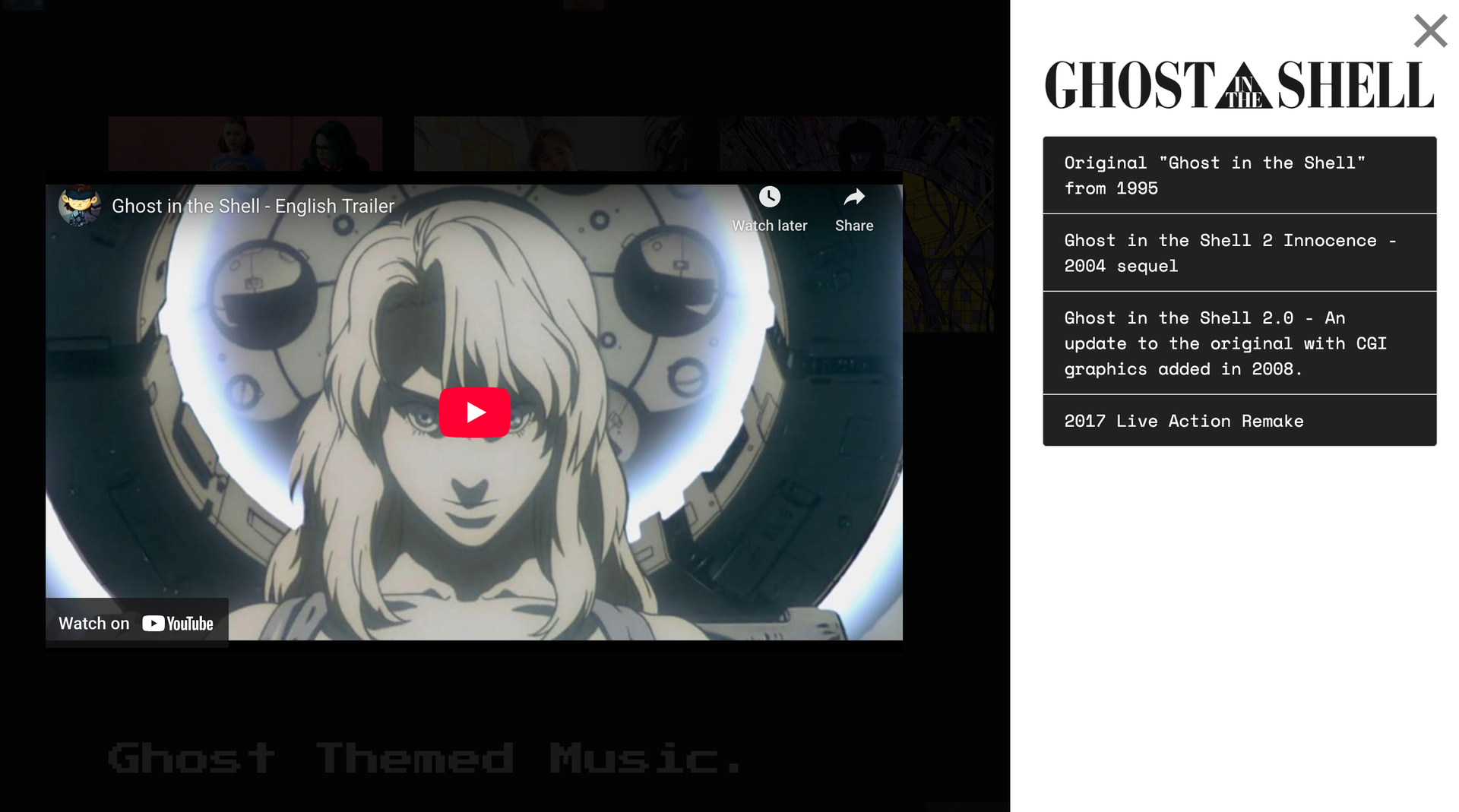
The problem I’m having is there are a couple of pages with video stacks on them that I don’t know how to remake on elements. They were made with the Video Plus stack that have sidebars with links and descriptions that go along with the main video. I was wondering if it was possible to make video pages like the ones below? These video thumbnails I’m referring to are on the bottom portion of the page. This stack had really neat functionality.
If you are interested and would want to work with the page elements I have here I can send those folders to you. I had made this site to learn Foundry in 2020 and it has since sat untouched for a couple years. This just seems like the next logical step I can quickly learn another tool-set by just relying on the project I already made with all the pieces in a folder ready to go. Please let me know what you think!
I did watch that video, but I was wondering specifically if there was a way to bring in the functionality of what used to be done by a third party tool? For an example like this section where clicking on a video clip could also bring up a series of links. This way after you watch the clip you could see four other clips that are related to it or some body text about it. Does elements even have this functionality yet? Can it detect what I’d need to do to make it work that way?
Okay I tried that, it suggested a column with a video on one side and that I should drag an HTML component on to the other side.
I also realized that this third party stack I am trying to copy did all this inside of a modal. I added the part about needing a modal to my question and then the AI got an error when it tried to answer it.
I haven’t completely been able to figure out modals within elements. I made a test modal and not all the content appears to be opening in the browser. So, a lot of questions I would need answered by the team. I just figured since they started longer podcasts they could use some of that time to clarify a few of these questions? Their AI bot is a nice start on getting to the first few steps on the way to an answer though.
I guess what I had more expected as a solution was that there would be a tool that could be made available in the marketplace so there wouldn’t need to be so much work assembling some basic feature set. If there is already a stack that does this well in stacks I would wonder why not just use that?
Elements has a few parts that could do these pages better. For an example there are now more options for light and dark mode beyond just white and black and the mega-menu appears to be way more flexible.
I guess what I’m getting at is one thing I’d like from a podcast would be to hear how the 3rd party developers are meeting the needs of elements users now that the product is out of beta. Work arounds were fine at one point but I think users need more answers as to how more developers are going to contribute going forward.
Most of the videos have talked about elements itself but they could spend air time explaining how the product is addressing more niche concerns.
 trying to help…
 tell GPT you want a slide in panel with your information…