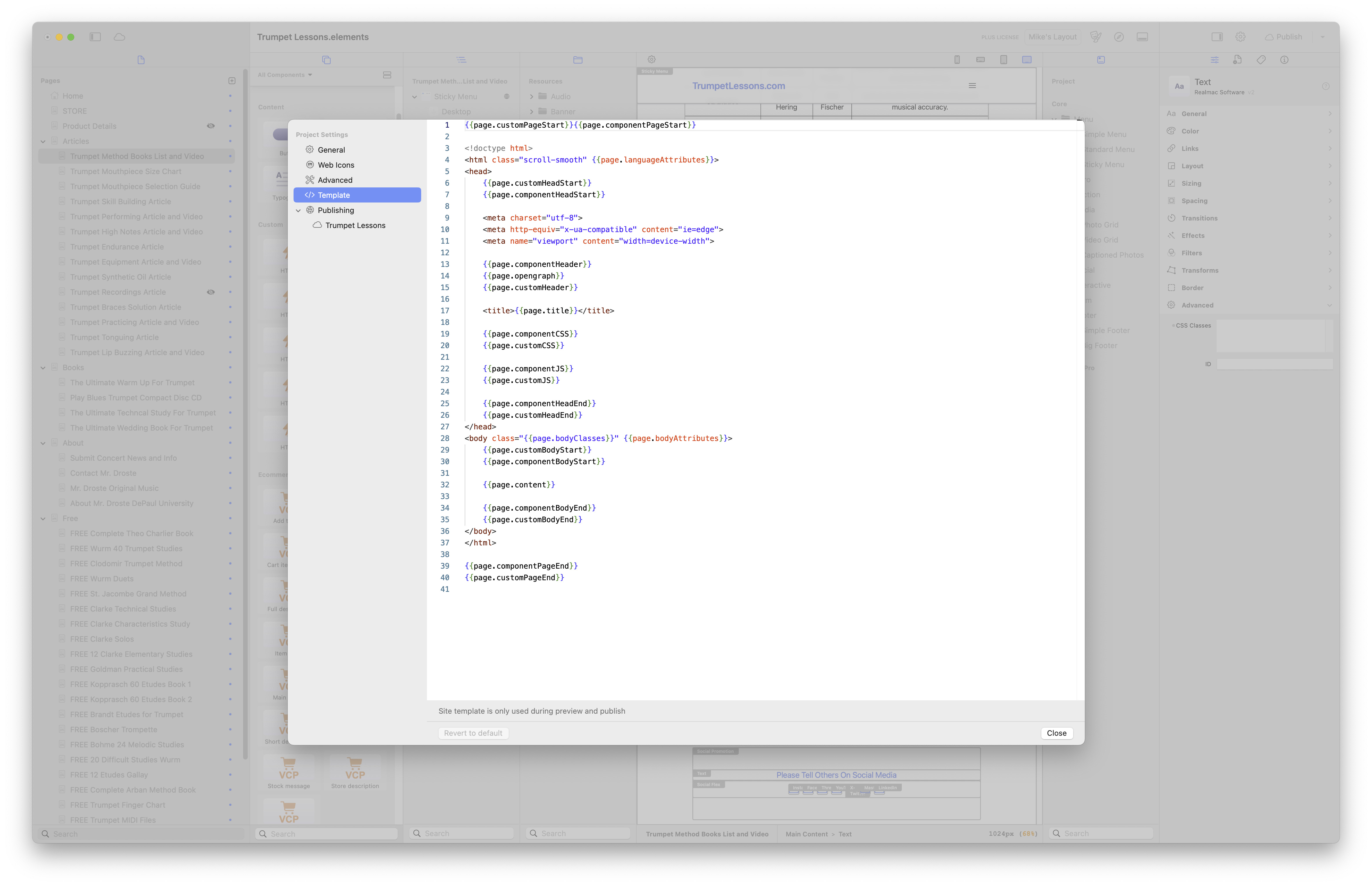
Hello, My HTML tables look terrible in Mobile. Asked Chat GPT for a fix:
@media only screen and (max-width: 768px) {table, thead, tbody, th, td, tr {display: block;width: 100%;}

thead tr {
  display: none;
}

tr {
  margin-bottom: 1rem;
  border: 1px solid #ccc;
  padding: 8px;
}

td {
  position: relative;
  padding-left: 50%;
  border: none;
  border-bottom: 1px solid #eee;
}

td::before {
  position: absolute;
  top: 8px;
  left: 8px;
  width: 45%;
  white-space: nowrap;
  font-weight: bold;
}

td:nth-of-type(1)::before { content: "Title"; }
td:nth-of-type(2)::before { content: "Author"; }
td:nth-of-type(3)::before { content: "Publisher"; }
td:nth-of-type(4)::before { content: "Quick Review"; }
}
Where do I put this site wide code?
dan
(Dan)
2
Hi @MichaelDroste,
You’ll need to wrap the code in tags and paste it into the head area of your site. Here’s the updated code:
@media only screen and (max-width: 768px) {
table, thead, tbody, th, td, tr {
display: block;
width: 100%;
}
thead tr {
display: none;
}
tr {
margin-bottom: 1rem;
border: 1px solid #ccc;
padding: 8px;
}
td {
position: relative;
padding-left: 50%;
border: none;
border-bottom: 1px solid #eee;
}
td::before {
position: absolute;
top: 8px;
left: 8px;
width: 45%;
white-space: nowrap;
font-weight: bold;
}
td:nth-of-type(1)::before { content: "Title"; }
td:nth-of-type(2)::before { content: "Author"; }
td:nth-of-type(3)::before { content: "Publisher"; }
td:nth-of-type(4)::before { content: "Quick Review"; }
}
And paste it anywhere between the <head> </head> tags, ideally just before the closing </head> tag. See screenshot.
Let me know how you get on!