Hi,
I’m currently working with Rapidweaver 8.1.7 (on an iMac 27" mid 2010, MacOS 10.13.6, 12GB RAM).
Working on my current project I noticed a very strange behavior:
After returning from sleep mode and restart of working with Rapidweaver the program hangs. First it works endlessly on some process I cannot recall (info about it appears at the bottom left corner of the Rapidweaver window). After having finally finished it suddenly some jumps automatically from one menu entry to another - this looks pretty strange and can’t be interrupted - here’s a video of it : https://www.dropbox.com/s/aksyts05jp1viqn/IMG_7956.MOV?dl=0
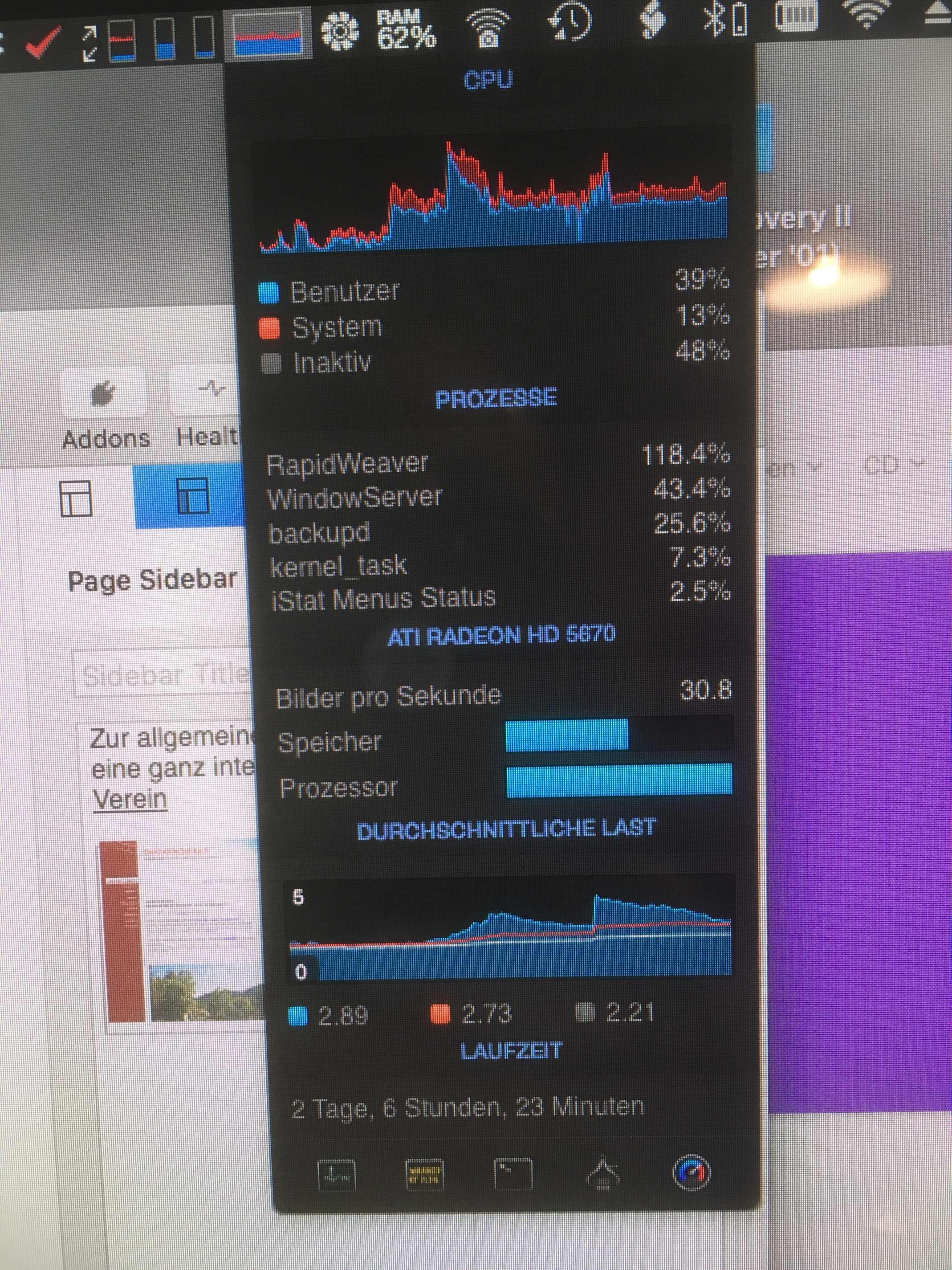
I’m using iStatMenu - here you can see the processor is getting pretty busy with it :
i’m not sure if this will help, with your issue specifically, but if you are familiar with terminal you might give this a try. it often cures “stuck” issues and runaway RW CPU usage:
Quit RapidWeaver
Open terminal
Type…
killall php
then press return.
If it works then no errors (or successes) will be reported. It just sort of silently does its thing.
If nothing is found to kill, then you’ll see an error message like
No matching processes belonging to you were found
That’s also good. If there was nothing to kill, then everything is working fine.
What it does
For whatever reason, probably after a crash – but maybe at other times too – RW seems to quit but leave a PHP process running in the background. If you experience a bunch of crashes, or you’re a developer and you regularly shut RW down forcefully as part of development, then each of these runs/crashes/whatever can strand a new PHP process.
This seems like a bug to me. It seems like the next launch of RW should probably note the last PHP process ID, note that the process is still running, and kill it.
Issuing the killall command does this forcefully and in one go.
You can also open up the Activity Monitor app from the /Applications/Utilities, search for “php” and then manually kill each of the processes you find. This works too – but if there are 20 processes it’s a bit of chore as there is no way to kill processes en masse using that app.
MAKE SURE TO QUIT RW FIRST – if you do this while RW is running, you’ll be pulling the rug out from under RW. i doubt anything too bad would happen – but better safe than sorry.
Hi, okay - will try out next time.
This morning I started the iMac new and opened Rapidweaver.
First same thing happened again - previews are generated (by new ?) and it lasted a while. After this ended it started again to jump in the menus (same as in video) but stopped after a minute.
Seems to have something to do with he new generation of previews ? :-/
After this I can work again with Rapidweaver as usual.
I’ve not used RW for 3 days.
Opened it up this morning and there was the ‘upgrade’ window. - 8.1.6. to 8.1.7 with all the supposed benefits.
I don’t have to do this with any other app but my first instinct is ‘check the forum’.
BAM - third post down 8.1.7 endless loop problem.
This problem goes back to RW6 for me.
So, I won’t be ‘upgrading’ to 8.1.7 for a while but come on RealMac you’re starting to look like a Mickey Mouse outfit.
My fix has been to switch between pages in a slow definitive way especially in preview mode. The problem seems to occur when one page hasn’t finished loading and a user switches to another page. Hence the problem occurs more readily in preview and is proportional to the complexity of a page and a users internet speed.
If you have the Simulator window open and switch between pages in RW too fast it will go into a loop of
Switching back the the 1st page
Rendering the page
Switching to the 2nd page
Rendering the page
Switching back to the 1st page
Etc
FIX: close the Simulator window(s) … it’s that easy.
Only open the Simulator when you want to preview, close it after, don’t leave it open all the time.
Thanks guys, there’s a number of different ways this can happen. It’s a tricky problem to solve but I’ve been working on a fix and should have something ready for the next release